Important warning before anything else: no mobile app measures blood pressure. There is no app that can determine your blood pressure using the camera, fingerprint, microphone, or screen. To know your blood pressure, you need a blood pressure monitor (sphygmomanometer) with a cuff on your arm—preferably a validated one—and, if any reading is abnormal, a doctor to interpret the result. What apps do well, and that's what this guide is for, is... to record, organize and show the evolution from the measurements you've already taken with the device.
If you came here looking for "an app to measure blood pressure on your phone," the honest answer is that. But the real reason behind that question is almost always something else entirely, and perfectly legitimate: you want to monitor your blood pressure at home, understand if it's rising or falling over the weeks, and arrive at your appointment with data in hand instead of a "I think it was high." This is entirely possible, recommended by cardiologists, and inexpensive. In this article, you'll see which free apps work as blood pressure diaries, how to measure correctly so that the recorded number has value, how to take this history to your doctor, and how to avoid the numerous scams in this category.
Why doesn't the cell phone measure blood pressure?
Blood pressure is the force that blood exerts against the walls of the arteries. To measure this, in practice, it is necessary to compress an artery and observe at what point the flow stops and resumes. This is exactly what the inflatable cuff of the blood pressure monitor does on your arm. There is no optical pathway for this information: the cell phone camera only sees variations in skin color, and the fingerprint reader only sees the outline of your fingerprint. Neither of them has contact with the pressure inside the artery.
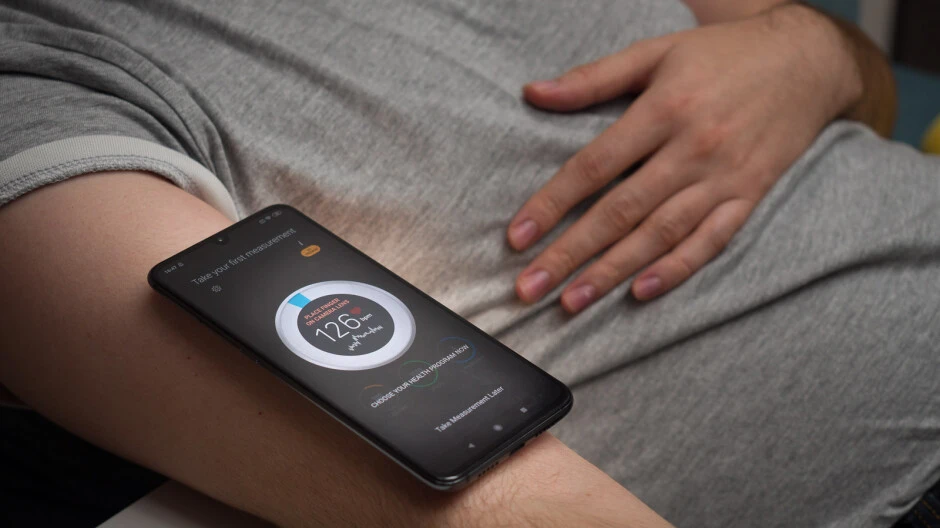
What the camera manages to capture, by placing a finger on the lens with the flash on, is the slight change in color that occurs with each heartbeat. This technique, called photoplethysmography, allows... estimate Heart rate — how many times your heart beats per minute. Heart rate and blood pressure are different things: you can have a normal pulse with high blood pressure and vice versa. Therefore, when an app says it "calculates" your blood pressure from the camera, it's making up a number. Some of these apps even ask for your age, weight, and a previous measurement, and return an "estimated" value that is just a disguised statistical average.
This is not a technical detail: it's a real risk. A person undergoing treatment who relies on a false number may stop taking their medication thinking everything is under control, or be alarmed by a fabricated value. If you want to verify the information from an official source, the Ministry of Health maintains a public page about it. high blood pressure with diagnostic and follow-up guidelines.
What do apps actually do that's useful?
A good blood pressure app is like a digital notebook. You measure with the device, type in (or let the device send via Bluetooth) the three numbers — systolic, diastolic, and pulse — and the app takes care of the rest: it saves the date and time, creates graphs, calculates averages for each period of the day, and generates a PDF report that you can show at your appointment. Some features that make a difference in daily life:
- History with automatic date and time., so you don't have to rely on your memory.
- Average of the last 7 days, which is the data that most doctors actually use, and not the isolated measurement.
- Separation by period (morning and night), because pressure varies considerably throughout the day.
- Observation field To note the context: coffee, exercise, sleepless night, forgotten medication.
- Export as PDF or CSV To send by email or print.
- Reminders to measure and to take the medication on time.
Apps for recording and monitoring blood pressure.
All the apps below are available in official app stores and have a free version. Always download from Google Play or the App Store — never via APK files sent in group messages, because that's how fake "health" apps get onto your device.
1. OMRON connect
This is the official app from OMRON, one of the best-known manufacturers of blood pressure monitors. If your monitor is from this brand and has Bluetooth, the readings go directly from the device to your cell phone, without typing or transcription errors. If your model is not connected, you can still manually enter the values. It creates graphs by week and month and exports the history to take to the doctor's office. View on Google Play.
2. Withings Health Mate
This app is from Withings, a company that manufactures connected scales and blood pressure monitors. It works well even for those who don't own any of their devices: you can manually record your blood pressure and also track your weight, steps, and sleep all in one place. The interface is clean and the history is easy to read, with color bands indicating when a value has deviated from the range you and your doctor agreed upon. View on Google Play.
3. Samsung Health
It comes pre-installed on most Samsung phones and can be downloaded on other Android devices. It has a dedicated field for recording blood pressure, as well as water, weight, steps, and food intake. The advantage is convenience: those who already use Samsung Health for other things don't need to install anything else. The limitation is that it's a general wellness aggregator, so the reports are less detailed than those of a dedicated app. View on Google Play.
4. Beurer HealthManager
Another app from a manufacturer of home medical devices. It accepts manual data entry and synchronization with the brand's devices, and organizes the data into separate blocks: blood pressure, glucose, weight, and activity. It's a good option for those who monitor more than one indicator at the same time and want everything in a single report. View on Google Play.
5. mySugr
Designed for people living with diabetes, mySugr is a blood glucose diary that also accepts entries for blood pressure, weight, and medication. Since diabetes and hypertension often occur together, it makes sense for many people to keep both records in the same app. It generates PDF reports that are readily accepted for consultation. If your main focus is blood glucose monitoring, you should also check out our guide on... apps to monitor glucose on your cell phone. View on Google Play.
E no iPhone?
The app Health, The app that comes pre-installed on every iPhone has a native blood pressure field: simply open the Browse tab, search for "Blood Pressure," and add the values. The apps mentioned above also have versions on [iPhones]. App Store and they are able to send the data to the Health app, keeping everything centralized.
It's worth clarifying the issue of smartwatches, since this question always comes up: the most common smartwatches, including the Apple Watch sold in Brazil, They don't measure blood pressure.. They estimate heart rate using an optical sensor, and some perform a single-lead electrocardiogram, which is a separate test. Blood pressure still requires a cuff.
How to measure correctly (the number is only valid if the technique is correct)
The most beautiful app in the world is useless if the measurement was done incorrectly. Most of the strange readings that frighten people at home come from technique, not disease. The step-by-step process accepted by cardiology societies is simple:
- Stay 5 minutes sitting in silence Before measuring, without talking and without using your cell phone.
- Avoid coffee, cigarettes, alcoholic beverages, and exercise in the half hour beforehand. Empty your bladder beforehand.
- Sit with the back supported and the feet on the ground, without crossing your legs.
- Rest your arm on a table so that the cuff is... at heart level.
- Place the cuff over your bare arm, two finger widths above the bend of your elbow. Using the wrong sized cuff is one of the biggest sources of error—wider arms require a larger cuff.
- Do two measurements with a one-minute interval Write down both of them. If the difference between them is large, make a third one.
- Always measure in same times, For example, in the morning before taking your medicine and at night before going to bed.
A single measurement doesn't define anything. What interests the doctor is the overall picture: the average over several days, at the same time, using the same technique. That's precisely what the app provides, and the little piece of paper on the refrigerator doesn't.
How to register on the app, step by step.
- Download the app of your choice from Google Play or the App Store and create an account.
- Fill in the basic profile (age, height, weight). This is for the graphs, not for calculating any pressure.
- Measure your blood pressure with your device using the technique described above.
- Tap “add record” and enter your systolic, diastolic, and pulse rates. If your device has Bluetooth, pair it once and the data will be sent automatically.
- Use the observation field for the context of the day: "after lunch", "I slept badly", "I forgot my medicine".
- Set reminders at the times agreed upon with your doctor.
- Before the appointment, generate the report in PDF format for the period and bring it with you on your phone or printed out.
Beware of scams and fake apps in this category.
Health is one of the most exploited themes by deceptive apps because it involves fear and urgency. It's worth paying attention to some signs:
- Any app that promises to measure blood pressure via camera, finger on screen, or fingerprint. It doesn't work. Many are classified as entertainment on the store's own website, with the warning hidden in the description.
- APK files are no longer available in app stores. Links to "premium version unlocked" sent via WhatsApp are the most common gateway to apps that steal banking data. Only install from the Google Play or App Store.
- Hidden signature. Some health apps offer a seven-day free trial and then charge a high price afterward. Before accepting, check the price and renewal options on the app store's subscription screen.
- Nonsensical requests for permission. A stress diary doesn't need your contacts, your SMS messages, or your location all the time.
- A promise of a cure or of "controlling blood pressure without medication.". This isn't an app, it's misleading advertising — and sometimes the sale of unregistered products. Anvisa.
Regarding privacy: health data is considered sensitive data under the LGPD (Brazilian General Data Protection Law). Before registering your history, quickly read the app's privacy policy and see if it shares information with third parties for advertising. Prefer apps from well-known manufacturers, who have more to lose from a data breach.
FAQ – Frequently Asked Questions
1. Is there an app that actually measures blood pressure via cell phone? No. No app, subscription-based or not, measures blood pressure using only a cell phone. Those that claim to do so provide an estimated number without clinical validity. Use a blood pressure monitor with a cuff.
2. So what is the app for? To store the measurements taken by the device, calculate averages, generate graphs, and produce a report that helps the doctor decide on your treatment.
3. And does the heart rate measurement by the camera work? The camera can estimate heart rate, which is different from blood pressure. Even so, it's an estimate of well-being, not a medical examination. We explain this in detail in the guide about... apps for monitoring heart rate and hypertension.
4. Are these apps free? All of the apps mentioned have a free version sufficient for registration and exporting. Extra features may require a subscription, which is always indicated on the app's page in the store.
5. Can I use the app's records to diagnose myself? No. The medical history is input for the consultation. Diagnosis of hypertension and medication adjustment are medical decisions.
6. Is my data secure? It depends on the app. Read the privacy policy, prefer well-known developers, and enable password or biometric locking within the app when available.
Conclusion
The promise of measuring blood pressure via cell phone is seductive precisely because hypertension is silent and frightening. But it doesn't exist: the technology in your pocket doesn't reach the artery. What does exist, and truly helps, is the combination of a blood pressure monitor with a cuff, a proper measurement technique, and a simple app that transforms scattered numbers into an organized history. This duo costs little, fits into your routine, and arrives at the consultation as useful information—which is exactly what your doctor needs to take care of you. If you want to continue organizing your health routine via cell phone, also check out our guides on... home workout and of sleep monitoring.