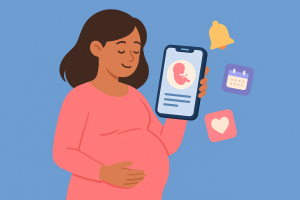
Monitoring blood glucose via mobile phone has become increasingly common among diabetics seeking more efficient and practical control of their condition. With technological advancements, various apps have been developed to assist in blood glucose monitoring, offering features that make life easier for those who need to manage diabetes daily. Before anything else, a clarification that changes everything: No app measures glucose via mobile phone.. The phone doesn't have a sensor capable of that, and apps that promise to measure blood glucose using the camera, fingerprint, or screen don't work. What the apps on this list do is... register and monitor The values — entered by you or received automatically from a glucometer or continuous monitoring sensor, which are separate devices — also help with food logging and organizing physical activities.
Having your blood glucose history organized on your phone, instead of scattered in notebooks, has changed the routine for many people. In this article, we'll explore some of the best apps for tracking blood glucose, highlighting what each one does and which ones communicate with real meters. It's important to remember that this text is for informational purposes only: any decisions regarding treatment, insulin dosage, or changes in routine should be discussed with your doctor or healthcare team.
Best apps to monitor glucose on your cell phone
There are several apps on the market that promise to make blood glucose control easier. Below, we list some of the most popular and efficient, explaining their main features and how they can help with diabetes monitoring.
Glucose Buddy
Glucose Buddy is one of the most popular apps for monitoring glucose levels via mobile phone. It allows users to record values measured by their glucometer, as well as meals, medications, and physical activity. In addition, the app offers graphs and reports that help visualize trends over time.
One of the advantages of Glucose Buddy is its ability to synchronize with other health devices and apps, providing more integrated diabetes management. For example, it can be connected to some compatible glucometers, facilitating the automatic recording of measurements—reducing typing errors and manual work. Compatibility varies depending on the brand and model of the meter and the country, so check the list of supported devices before using this feature.
MySugr
MySugr is another application widely used by diabetics to control blood sugar. This application is known for its user-friendly interface and features that encourage the user to keep strict control of their condition. It allows recording blood glucose, insulin, meals and physical activities.
MySugr also offers challenges and rewards that make monitoring more interactive and motivating. Furthermore, the application generates detailed reports that can be shared with doctors, facilitating professional monitoring. For those looking for an application to monitor glucose in a fun and efficient way, MySugr is an excellent choice.
Glooko
Glooko is an application that stands out for its ability to integrate with various glucose measuring devices. It allows automatic synchronization of blood glucose data, making glucose control more practical. Additionally, the application offers tools for recording meals, medications and physical activities.
One of Glooko's most useful features is trend analysis, which helps visualize how different factors relate to the recorded values. These graphs are good material to take to consultations, but the treatment is adjusted by the healthcare professional — the app organizes the information, it does not indicate dosage or course of action.
One Drop
One Drop is a blood glucose monitoring app that stands out for its intuitive design and comprehensive features. It allows users to record their glucose and insulin measurements, meals, and physical activities. In addition, One Drop offers, in its paid plans and in select languages and countries, in-app support from professionals—an extra support that does not replace your doctor.
The app also generates detailed reports that help you track your condition over time. These reports can be shared with healthcare professionals, facilitating treatment adjustments. For those looking for a blood glucose monitor that offers additional support, the One Drop is a great option.
Dexcom
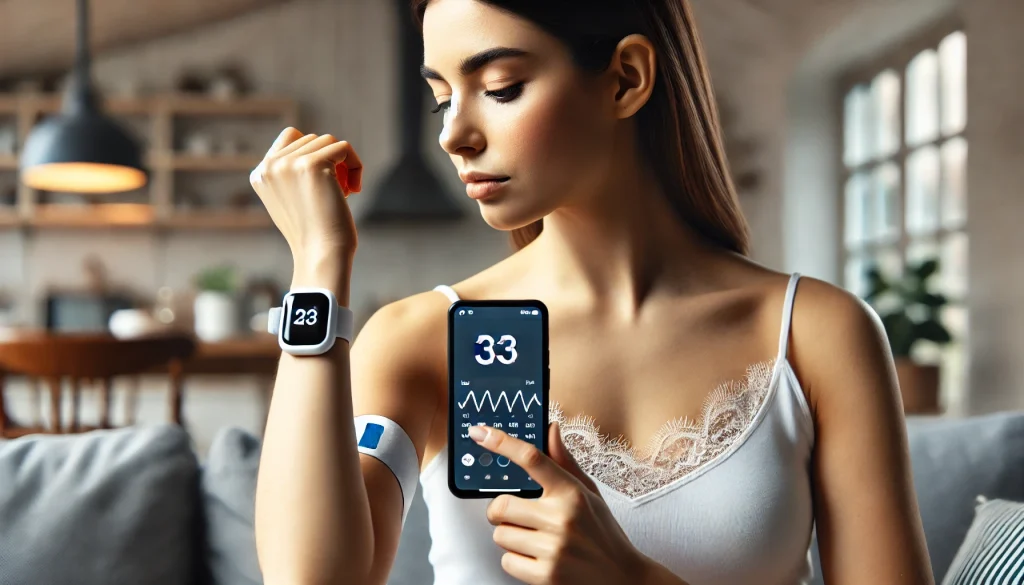
Dexcom is the clearest example of an app that relies on a separate piece of equipment: on its own, it measures nothing. The reading comes from a continuous monitoring sensor from Dexcom itself, worn on the body, purchased separately and recommended by a healthcare professional. With the sensor in use, the app displays the values on the phone and sends alerts when blood glucose levels rise or fall beyond the configured limits.
Furthermore, Dexcom offers features such as data sharing with family members and doctors, providing a broader support network. For those who already use or intend to use continuous monitoring, the app is the natural complement to the sensor — and the recommendation for this type of equipment should come from the medical team.
Additional application features
Applications for monitoring glucose on your cell phone are not limited to just recording blood glucose levels. They offer a variety of additional features that make diabetes management more complete and efficient. For example, many of these apps allow for detailed meal logging, helping users identify how different foods affect their glucose levels.
Furthermore, most apps offer integration with fitness devices and other health apps, providing a more holistic view of the user's health. Some apps also include reminders for when to measure and take medication, which helps to avoid missing appointments in the rush of the day.
Another interesting feature is the possibility of generating reports and graphs that show trends in glucose levels over time. These reports can be shared with healthcare professionals, making it easier to adjust treatment and identify patterns that may need special attention.
Conclusion
In conclusion, mobile glucose monitoring apps represent a major advancement in diabetes management. They offer a practical way to record and track values, as well as consolidate meals, medication, and physical activity in one place. To reiterate the main point: the measurement still comes from the glucometer or sensor; the app stores, organizes, and displays the progress. If you have diabetes or are caring for someone who does, it's worth exploring the options mentioned here.
Each app has its own features, and the choice depends on your monitor, your phone, and your routine. Whichever option you choose, take the reports to your appointment: the healthcare professional who is monitoring you is the one who interprets the numbers and defines the treatment.
What to do, in order.
- Always register at the same time. Measurements taken under similar conditions are what allow for comparison. Also note the context: fasting, after exertion, on a stressful day.
- Generate the report before the query. Exporting as a PDF and having it printed or on your phone greatly shortens the conversation.
- Use certified equipment when taking measurements. The cell phone doesn't measure; the equipment with sanitary registration does the measuring. The app only stores the number.
- Write down the value along with the time. Date and time transform random numbers into useful historical data for the professional.
Where most people slip
- Taking estimated steps, sleep, or calories as an exact measurement—that's an approximation using a motion sensor.
- Swap in-person consultations for apps — none of them provide diagnoses.
- Changing medication dosage based on a number seen in the app.
- Install an app that promises to detect disease through photos, sounds, or questionnaires.
What the cell phone itself already does.
Android and iPhone already come with a native health app that consolidates steps, sleep, and measurements sent by other devices, with privacy controls by data type. It's usually the safest place to store your history, and you can export it to take to your doctor.