Before the list, the warning that needs to come first: No skincare app performs an examination, diagnosis, or clinical evaluation of your skin.. What they do is organize routines, remember schedules, save photos for comparison, and consult ingredient databases. They are tools for recording and organizing—useful, but without reference value. Spots that change color, size, or shape, wounds that don't heal, severe acne, and recurring allergies are matters for dermatologists, not cell phones.
Having made that point, apps do help with one very concrete thing: consistency. Most skincare routines fail because people forget, mix ingredients that don't work well together, or switch products before they've had time to see results. That's exactly where a well-chosen app comes in handy.
How a skincare app really helps
- Routine reminder: It indicates when to apply each step, morning and night, in the correct order.
- Photo record: One photo per week, in the same lighting, shows progress that a mirror doesn't show in everyday life.
- Label reading: Scanning the barcode and seeing the translated ingredient list helps prevent impulse buying.
- Control of what you already have: Many people buy duplicates or let products expire in their drawers.
- Sun alert: The day's UV index helps remind you to use sunscreen, which is the item that makes the biggest difference in the long run.
The best apps for skincare.
Yuka — leitura de ingredientes
O Yuka It's the best known in its category. You point the camera at the barcode of a cosmetic (or food) and it shows a rating, the list of ingredients explained in simple language, and warnings about substances that often generate discussion, such as certain preservatives and fragrances.
It's excellent for getting a purchase out of the dark, but consider the receipt as... app rating opinion, This is not a scientific verdict: the methodology is Yuka's own and does not always reflect the consensus of dermatology. An ingredient with a low rating is not automatically dangerous, and one with a high rating is not automatically suitable for your skin.
How to download: free in Google Play and in App Store (There, the app is called "Yuka - Product Scan"), with a limited number of scans per day in the free version and in-app purchases to unlock the rest.
Skin Bliss — rotina, lembrete e diário de progresso
O Skin Bliss It organizes your product sequence by separating morning and night products, reminds you of the time for each step, keeps a progress diary with photos, and includes an ingredient scanner similar to Yuka's. It's the most complete routine organizer, with over a million installations on Google Play — and it's also on... Brazilian App Store. Availability varies by country and region, so check your device's app store to see if it appears for you.
One important caveat: the app also offers a facial analysis function via selfie. Treat this result as an estimate of appearance, on the same level as a filter — it does not assess lesions nor does it replace a dermatologist, as we explain in the following section. The functions that make it worthwhile to install are those for organization: routine, reminder, photo recording, and label reading.
If you prefer another organizer, the points to consider before installing are always the same: whether it allows you to register the products you already own, whether it separates morning and evening routines, whether it saves photos on the device itself, and what the app does with your data.
One detail that almost no one checks: these types of apps request access to your camera and photos. Read the privacy policy before uploading images of your face and be wary of any app that requires registration with too much data for basic functions.
SunSmart Global UV — e o app de tempo que você já tem
In most cases, you don't need to install anything: the weather app that comes with your phone shows the UV index for the day and by the hour. This is the most useful information of all for skin health, because it determines when you need to reapply sunscreen. An index of 6 or higher already calls for sunscreen, a hat, and shade during the day; above 8, prolonged exposure should be avoided.
If your device does not display this information, the SunSmart Global UV It resolves. It is maintained by Cancer Council Victoria in partnership with the World Health Organization and the World Meteorological Organization, is free, ad-free, and shows the hourly UV index forecast with the window of the day when protection is needed. It is also on Brazilian App Store; As always, check with your device's retailer to see if it's available in your region.
It's important to remember that no cell phone sensor measures ultraviolet radiation: the number displayed comes from weather stations and forecast models for your region, not from your device.
Aplicativos das próprias marcas
Several cosmetics and beauty device manufacturers maintain official apps that suggest routines with their products and keep a history of usage. In Brazil, one example is... Creamy Skincare, from the national brand Creamy, which is also in Brazilian App Store. These kinds of apps work well for those who already use that particular product line, but they have a natural bias: the recommendation always points to the brand's own catalog. Search for the app by the manufacturer's name in the official store and check if the listed developer is actually the company.
Apps that promise to analyze blemishes and marks: why not trust them?
There is a category of apps that promise to assess moles and spots from photos and tell you if there is a risk. Regardless of the technology used, this type of response has no diagnostic value and can cause two opposite harms: a "calm" result that makes the person postpone the consultation for a lesion that needed to be seen, or an unnecessary scare from a poorly lit photo.
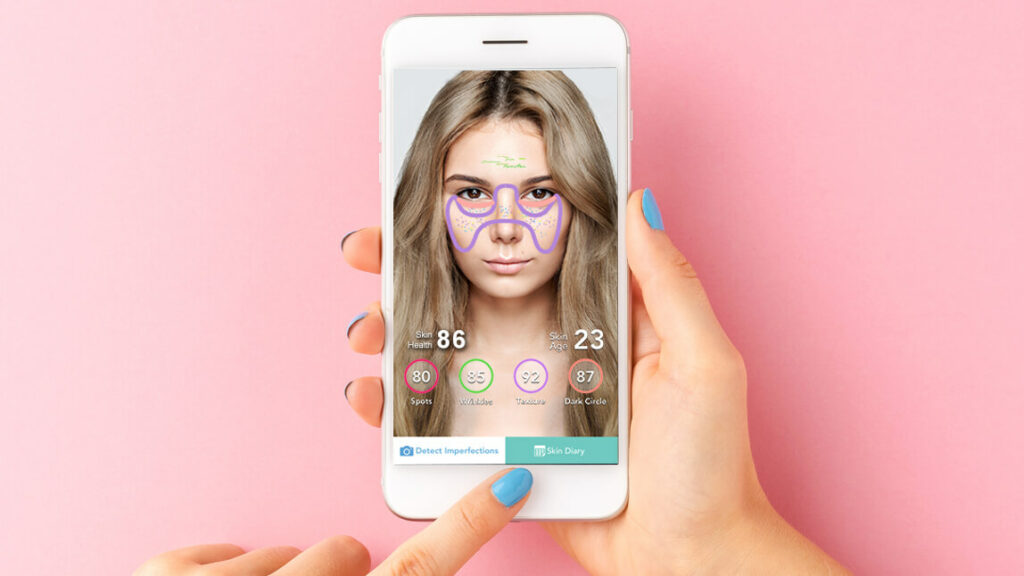
Evaluating a skin lesion requires an in-person examination, often with a dermatoscope, the person's medical history, and, when indicated, a biopsy. Cell phone cameras cannot see the depth, internal structure, or blood supply of the lesion.
What your cell phone can do, and does well, is serve as a record: photograph the same mole every two or three months, always in the same light and with a ruler or coin next to it as a size reference. If you notice changes in size, color, borders, itching, bleeding, or a lesion that doesn't heal, take the photos to a dermatologist—they help the professional, without replacing them. If in doubt, seek medical attention; in Brazil, basic health units refer patients to dermatology through the SUS (Unified Health System).
A basic routine that works (and fits in the app)
A simple routine is a routine that gets done. A basic scheme that any reminder app organizes well:
- Morning: Gentle cleansing, a moisturizer suitable for your skin type, and sunscreen. Sunscreen is a non-negotiable item.
- Night: Makeup and daily grime removal, cleansing, and moisturizing. Specific active ingredients are used here, one at a time.
- When introducing a new product: Use it alone for two to four weeks before adding another. That way you know who to credit the result—or the reaction.
- Small area test: Apply behind the ear or on the forearm for a few days before applying to the entire face.
- Register: One photo per week, same angle, same lighting. In two months, the comparison becomes clear.
What do the names on the label mean?
Ingredient reading apps become much more useful when you recognize the terms that appear frequently. Here's a quick summary of the most common ones, with no miracle promises:
- Hyaluronic acid: A humectant ingredient, used to retain water in the surface layer. It usually gives the sensation of fuller skin in the short term.
- Niacinamide: A form of vitamin B3, present in many moisturizers and serums; it is one of the best-tolerated active ingredients.
- Retinoids: Vitamin A derivatives. They are potent, cause peeling initially, and should not be used by pregnant women without medical advice.
- Salicylic acid and AHAs: Chemical exfoliants increase sensitivity to the sun, so sunscreen is mandatory when walking.
- Ceramides: Components that help maintain the skin barrier; they appear in products indicated for dry or irritated skin.
- “"Non-comedogenic": This indicates that the formulation tends not to clog pores. It is a manufacturer's rating, not an individual guarantee.
- “Fragrance” or “parfum”: A mixture of fragrances. It is one of the most frequent causes of irritation in sensitive skin.
It's important to remember that order matters: on labels, ingredients appear in descending order of concentration. If the active ingredient that motivated the purchase is at the end of the list, it's present in a small quantity. No app decides for you which concentration is suitable for your case—that depends on your skin type, history, and, if there's a skin condition under treatment, the dermatologist's recommendation.
Common errors that no app fixes
- Change products every week. The skin takes time to respond; less than a month rarely shows anything.
- Stack strong assets. Mixing several acids and retinoids at once is the most common recipe for irritation and a compromised barrier.
- Exfoliating too much. Aggressive daily exfoliation leaves the skin sensitive and worsens precisely what you wanted to treat.
- Skipping sunscreen on a cloudy day. Ultraviolet radiation passes through clouds and glass.
- Follow a homemade recipe from the internet. Lemon, baking soda, and toothpaste applied to the face frequently cause burns and stains.
How to take follow-up photos the right way.
Photo recording is the most underrated function of these apps, and also the one that most people get wrong. Comparing a selfie taken in the bathroom at night with one taken on the balcony at midday says absolutely nothing, because the light changes everything. A few simple precautions solve the problem:
- Same light, always. Ideally, indirect natural light, near a window, at the same time of day.
- Clean and dry face. No makeup and no freshly applied product, which leaves a shine and is deceiving in comparison.
- Three angles: Front, left profile, and right profile. Many changes are first apparent on the side.
- No filter and no "beautification". Turn off the camera's automatic smoothing mode — it erases exactly what you want to see.
- Once a week is enough. Taking photos every day creates the impression that nothing changes and often leads to abandoning routine.
This collection of photos is by far the most valuable material to bring to the consultation: instead of trying to describe from memory what your skin looked like three months ago, you show them. And, if a product caused a reaction, the sequence of photos helps the professional understand when it started.
Common questions
Existe app que descobre meu tipo de pele?
Some people estimate based on a questionnaire or a selfie, but it's an approximation, and lighting completely changes the result. A simple at-home test usually reveals more: wash your face, wait an hour without applying anything, and observe if your skin feels tight (dry), shines on your forehead and nose (combination), or shines all over (oily).
Vale a pena pagar assinatura nesses aplicativos?
In most cases, no. The features that truly deliver value — reminders, photos, and label reading — are in the free versions. Try it for free for a few weeks and only subscribe if you feel you're missing something specific.
A nota do Yuka significa que o produto é ruim?
It simply means that the product received that rating according to the app's own criteria. Use it as a starting point to research an ingredient you're unfamiliar with, not as a final decision—especially if the product was recommended by a dermatologist.
É seguro enviar fotos do meu rosto para um app?
It depends on the app. Prefer those that store images only on the device and read the privacy policy to find out if the photos are sent to servers, how long they are kept there, and if they are used to train systems. Facial photos are sensitive personal data.
Quando devo procurar um dermatologista?
Whenever there is a spot or mole that has changed, a wound that won't heal, acne with nodules or scarring, significant hair loss, persistent itching, or any strong reaction to a product. And ideally, once a year for a skin evaluation, especially for those who are frequently exposed to the sun.
Veja também:
Conclusion
Skincare apps are great routine helpers: they remind you to use sunscreen, keep a photo history, explain labels, and prevent you from buying duplicates. This combination already significantly improves the results for those who tend to abandon their routine halfway through.
What they don't do — and none of them do — is examine your skin. The information in this article is general and does not replace professional consultation, diagnosis, or treatment. If you notice any changes that concern you, schedule an appointment with a dermatologist.