
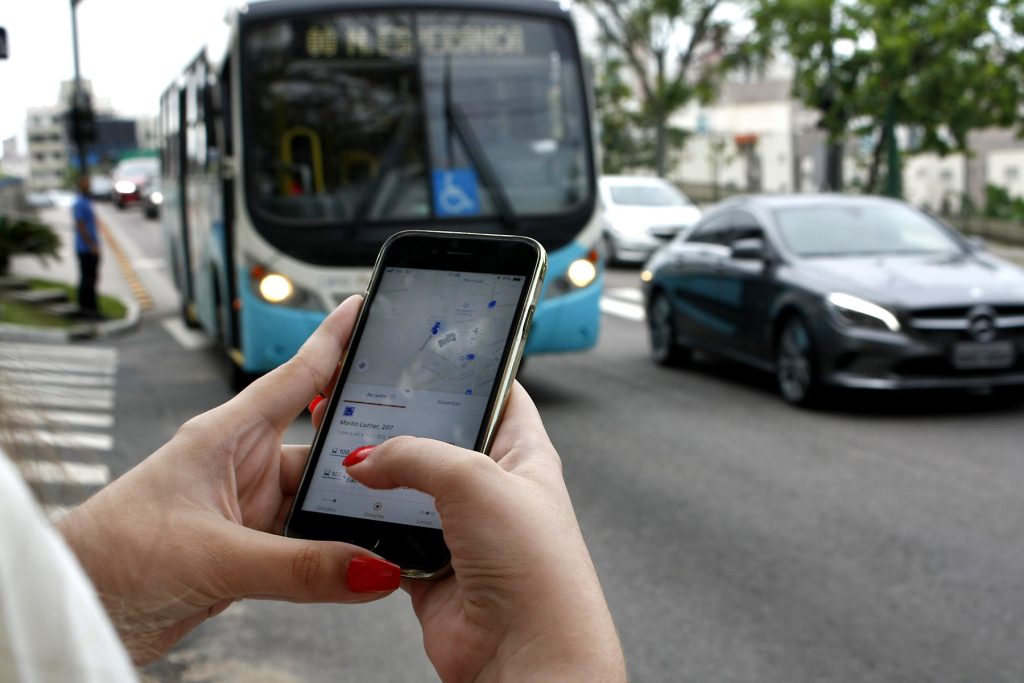
Keep a bus app with real-time updates on your cell phone to know where to stay and how long it will take to get there destiny It is an excellent option when it is sunny or on days when it is constantly raining.
But one application of this type is not only for this purpose, it also aims to bring information about which bus can take you to your final point. This is extremely useful when you don't really know where you are and which location you are actually going to. The real-time bus app will also tell you if you can catch the bus on the days you are late, whether at home or at work.
Follow the article and see excellent examples of apps for your cell phone.
An important warning right off the bat: the estimated time of arrival. It depends on the city and the local transport operator.. These apps don't track the bus on their own—they display data provided by the city or bus company. Where the fleet has GPS and the data is publicly available, the estimated time is usually accurate; where this data isn't available, the app only shows the timetable and route, without real-time information. Therefore, the time shown on the screen is always an estimate, and it's worth checking if your city is on the list before relying on the app in your busy daily life.
Many people use buses: are you among them?
The numbers are high, it's a fact. In São Paulo alone, almost six million individuals use the bus daily to get from one point to another. Most users still use two to three buses a day, daily.
It's easy to recognize why it's important to have a bus app in real time on your mobile device, be it a smartphone, notebook or tablet. As the large number of apps, for many these bus apps It is not an extravagance, but a true necessity!
The good information in this sense is that most bus passengers have cell phones, which means they have easy access to these devices. applications. Below you will find important information about each app so you can determine which app best suits you.
Below we list some essential information for you to download the app that best suits you. One of them has more than a million people using it and affectionately called “Cittamobers“".
Cittamobers: a popular app for you
O Cittamobers It is an app present in more than three hundred Brazilian cities, although not all features are available in all of them: real-time information only appears where the local operator shares the fleet's location. In some locations, users can recharge their transport card and pay for fares through the app. application, bringing the cell phone closer.
As Cittamobers On your mobile phone, you can check routes or even locate vehicles adapted for wheelchair users, which ends up being an excellent feature. For those who are already users, it's worth knowing that coverage is growing across the country, but it still varies from municipality to municipality — in some cities the app only shows routes and estimated times.
Moovit: The world's leading public transport
For those who like convenience, the Moovit It's a great option for a real-time bus app. Users can access not only schedules and information about public transport, but also trains and consult maps that help plan their route in advance. Because the information comes from the operators in each city, the quality of the real-time data varies considerably from place to place—for important appointments, leave some extra time.
It is popular not only for the ability to find the bus stops closest, but also through alerts that inform about possible travel interruptions and other changes to usual bus routes.
The number of people using the application Moovit App It has over nine hundred and thirty million users and its reach extends to more than three thousand four hundred cities worldwide. If your city is among them, it's one of the most comprehensive options for checking routes and planning your journey via mobile phone.
How to choose between the options
- It works offline. Map, translator, and offline travel documents are saved when data routing fails abroad.
- Customer service in Portuguese. In case of problems, a platform without support in Portuguese and without a telephone channel becomes quite complicated.
- Where the reservation is recorded. Choose the one that sends email confirmation with a location code — you can access it even without the app.
- Final price, including taxes. Always compare the total price. Service fees, baggage fees, and seat selection usually only appear at the end of the purchase process.
What these apps don't do
This is the part that almost no list mentions, and it's precisely what separates expectation from result.
- Camera-based translators frequently make mistakes with handwritten text and signs with stylized fonts.
- Offline maps become outdated and don't provide real-time traffic information.
- Booking apps don't solve airport problems — in case of cancellation, the airline is responsible.
- Ticket prices change based on real-time availability; the price shown in the search may no longer be available at checkout.
Common questions
Should I activate roaming?
Compare it to a local SIM card or eSIM. For short-term use, the carrier's data plan might be worthwhile; for long trips, it almost never is.
Is it cheaper to buy through the app?
Sometimes there are exclusive promotions, but not always. Compare with the company's website before making a purchase.
Can it be used offline abroad?
Download maps, translations, and documents before traveling. Many apps have an offline mode that needs to be prepared in advance.
Is it safe to pay through the app?
Yes, on well-known platforms. Opt for credit cards, which allow for chargebacks, and be wary of requests for direct transfers.
Do I need to print the ticket?
Generally no, the digital boarding pass is sufficient. However, it's still worth saving a screenshot in case the app doesn't open.
How to use it in practice
- Compare the final price, including taxes. Baggage, seat selection, and service fees only appear at the end. The total is what matters.
- Consider using a local SIM card or eSIM. For long trips, it's almost always much cheaper than using your mobile carrier's roaming charges.
- Check the cancellation policy before booking. Promotional fares are usually non-refundable, and this rule is stated before purchase.
- Keep the location services outside the app. A screenshot or the confirmation email will resolve the issue if the app doesn't open at the airport.
What goes wrong most often?
- Don't wait until you're at your destination to download the translator and map, when you don't have internet access.
- Pay by direct transfer instead of credit card, which allows for chargebacks.
- It does not have an offline map for real-time traffic information.
- Match the search price without verifying the actual price at checkout — availability changes in real time.
What the cell phone itself already does.
Google Maps saves entire areas for offline use, and the translator works without internet after downloading the language. Boarding passes are also stored in the phone's digital wallet, which opens without a connection.
Where does the information displayed on the screen come from?
The estimated time of arrival is not an estimate from the app alone. It depends on a chain of data that begins inside the bus.
The typical path of information:
- The vehicle has a tracking device. which transmits its location via mobile network, usually every 15 to 60 seconds.
- The operator or managing body receives these positions. and associates them with line and direction.
- The data is published. in a standardized format. The most widely used standard in the world is GTFS, for scheduled routes and timetables, and GTFS-realtime, for position and delays.
- The app consumes this data. It calculates the forecast by combining current position, distance to your point, and average speed of the segment at that time.
Each link can fail. If the city doesn't publish open data, the app only shows scheduled times. If the vehicle's tracker is faulty, that bus becomes invisible. If the driver operates a different route than the one registered in the system, the vehicle appears in the wrong place.
That's why the quality varies so much from city to city and even from line to line within the same city. The app is only as good as the source it receives from.
Planned, scheduled, and the bus that disappeared.
Three different pieces of information coexist on the same screen, and confusing them leads to frustration:
- Scheduled time. The official timetable for the line. It doesn't account for traffic, rain, or breakdowns. This is what appears when there is no real-time data.
- Real-time forecast. Calculated from the vehicle's current position. It is usually displayed with an animated icon or the word "live".
- Estimated frequency. On high-frequency lines, some systems only show "every 8 minutes," without a fixed schedule.
When the bus disappears from the screen, it's almost always due to one of these causes: loss of tracker signal in a tunnel or area without coverage; vehicle out of service; vehicle change mid-route; or the bus having already passed your stop without the system registering it.
Another common and poorly understood behavior: two buses on the same line arriving together. This is a known phenomenon in public transportation—the first vehicle accumulates delays because it picks up more passengers, and the one behind finds empty stops and accelerates until it catches up. It's not a problem with the app; it's a characteristic of the system.
Why forecasts are wrong and how to reduce losses.
No transportation forecast is exact, and some factors are systematically underestimated by algorithms:
- Boarding time. Busy stop, passenger in a wheelchair, cash payment — all of these add minutes that calculations based on average speed don't account for.
- Traffic light and pedestrian crossing. Simple models use average speed for the stretch of road and are inaccurate on roads with many intersections.
- Rain. Traffic patterns change and demand increases at the same time.
- Detour due to construction or event. If the itinerary has changed and the registration hasn't been updated, the forecast becomes meaningless.
- Updates at intervals. If the position is updated every 60 seconds, the forecast always includes that built-in delay.
Practical strategies: arrive at the bus stop two to three minutes ahead of schedule; use the schedule to decide if you have time for a coffee, not to rush out of the house; and, during rush hour, also check how many vehicles are on their way — knowing there's another bus five minutes behind changes the decision to wait or walk.
Use without internet and without draining the battery.
Checking bus schedules is one of those things that always happens in the worst possible situation: poor signal, low battery, rain. Preparation solves a good part of it:
- Download the offline city map. Most navigation apps allow this, and the offline map keeps scheduled routes and times working without a network connection. What requires a connection is real-time information.
- Save the lines and points you use. Most apps have favorites, which avoids searching on a small screen in the rain.
- Take a picture of the timetable. of the lines you use outside of peak hours. On weekends and in the early morning, the scheduled timetable is more important than any prediction.
- Reduce the brightness and close apps. When the battery is low, browsing with the screen on is one of the biggest power consumers.
- Lightweight portable charger If you rely on your cell phone for the ticket, running out of battery with a digital ticket means being stranded without transportation.
Digital ticket, top-up and accessibility
Ride-hailing apps have moved beyond simply providing information; they now integrate payment methods. It's worth understanding the areas that cause the most problems.
Recharging is not instantaneous across the entire system. In several cities, top-ups made through the app need to be "received" by the card at a validator or terminal, and this can take anywhere from minutes to hours. Topping up at the bus stop, just as the bus is arriving, is a recipe for being stranded.
Proximity via cell phone depends on the device. Contactless payment uses an NFC antenna, which not all models have. Additionally, the city's payment system needs to support this method.
The free and half-price pass card has its own registration system., This process is carried out by the managing body and usually requires periodic renewal. The app does not replace this process.
Accessibility. Some apps indicate whether the planned vehicle has a lift or low floor, and which stops have ramps. This information changes the planning for those who use wheelchairs or push strollers, and it's worth looking for in the filters.
Finally, a personal safety reminder that applies to any city: checking your cell phone at the bus stop attracts attention. Check the arrival time before you arrive, put your phone away while you wait, and avoid holding it in your hand at an isolated bus stop. Several apps allow you to receive an audible alert when the bus is approaching, eliminating the need to look at the screen every thirty seconds.



