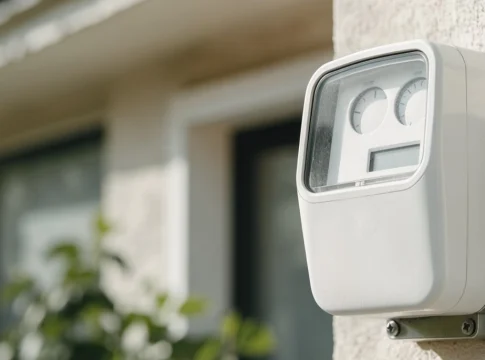
How to Spot Speed Cameras on Your Route
 Put Rodrigo Pereira

The fine arrives three weeks after the trip. Photo of the car, legible license plate, 71 km/h on a 60 km/h avenue. You remember the avenue. You don't remember the 60 km/h sign, nor the gray lamppost in the median.
Radar doesn't catch you by surprise if you know where it is and what the speed limit is. Traffic apps show you in advance each radar on your route and the speed limit for each section, and beep when your speedometer exceeds the limit. In this guide, you'll see how to turn on these alerts in Waze, which apps do the same job, and the habits that make your trip smoother and your mailbox free of fines.
Waze: the radar appears on the map before the turn.
Waze is a live map powered by tens of millions of drivers worldwide. On Google Play, it has over 500 million downloads and a 4.3 rating, with nearly 9 million reviews. On the Brazilian App Store, the rating is 4.8. The app is free.
- Speed cameras along the route: It indicates the location of speed cameras and traffic light cameras along the route.
- Limit for each segment: It shows when the speed limit changes and displays the speedometer on the screen.
- Timely warning: If you're within the speed limit, the radar only appears on the map. The voice alert and pop-up notification come on when you exceed the speed limit.
- Other dangers: Roadworks, potholes, speed bumps, sharp curves, objects on the road, and level crossings.
- On the car screen: It works with Android Auto and CarPlay.
According to Waze's help center, speed cameras are added to the map based on information from partners and map editors. A newly installed speed camera, which no one has yet reported, may not appear. The street sign still dictates the location.
How to turn on radar and speed alerts in Waze
- Install Waze using the button at the top of this page, on Google Play, or on the App Store.
- Open the app and allow access to your location.
- Tap the menu icon and enter settings.
- Go to Alerts and reports > Reports > Cameras. The alerts are already activated. Here you can check each type, such as speed radar and traffic light camera.
- For each type, leave the options enabled. Show on map It is Alert while driving.
- Go back to Settings, tap on Speedometer and activate Show speedometer.
- In Show speed limit, Choose when the limit appears on the screen. Then activate it. Alert at the limit. to hear a sound as soon as it reaches maximum speed.
- Enter your destination and start your trip. If you use Android Auto or CarPlay, make these settings on your phone while the car is stopped.
Did you see a speed camera that the map doesn't show? With the car stopped, or with the hands of someone in the passenger seat, use the app's report button. The alert helps those behind you.
Radarbot: the radar alert that works alongside other GPS devices.
Radarbot specializes in radar systems. It has a 4.8 rating on Google Play, over 660,000 reviews, and more than 50 million downloads. In the Brazilian App Store, it has a 4.7 rating.
- Types of radar: Fixed speed cameras, frequent mobile radar zones, tunnel radars, traffic light cameras, and section radars, where the app shows your average speed.
- In the background: It continues to give warnings even with another GPS or music app open, and even with the screen off.
- Only in its proper sense: Ignore the speed cameras on the opposite lane and those outside the flight path.
- Free version with no time limit: The free version does not expire. The Gold subscription adds GPS navigation with offline maps and removes ads.
Google Maps: radar and speed limit in the app that's already on your phone.
In several countries, Google Maps also displays speed cameras and speed limits during navigation. It has a 4.4 rating on Google Play, has over 10 billion downloads, and scores 4.8 on the Brazilian App Store.
To turn on the speedometer on Android, tap your profile picture, then go to Settings > Navigation and activate the Speedometer In the driving options. On the iPhone, the process is similar. Where the speed limit feature is available, the speedometer warns you when you exceed the limit. On Android, the navigation report button includes the option. Mobile speed radar.
TomTom: everything that comes next in a bar
The TomTom app features RouteBar, a bar that lists what's ahead on your route: traffic jams, accidents, road obstacles, and speed cameras. It compares your speed to the speed limit for that section of road and doesn't show ads. It has a 4.6 rating on Google Play, over 10 million downloads, and a 4.7 rating on the Brazilian App Store.
Each country has its own rule.
In many countries, radar alerts are permitted. In others, they are not. In Germany, using radar alerts while driving is prohibited and results in a fine. In France, apps can only indicate danger zones, without the exact location of the radar. Before driving outside your country, check the local law and, if necessary, turn off camera alerts in the app settings.
Tips for driving safely and avoiding fines.
- Alarm at the limit, not above: If the app lets you choose the margin, set the warning to the exact limit. The sound arrives before the photo.
- The speed camera measures the average speed: Braking suddenly right in front of the camera won't solve the problem. Maintain a constant speed from start to finish of the section.
- The sign says: Roadworks, schools, and rain can lower the speed limit from one day to the next. If the app and the sign disagree, follow the sign.
- The car's dashboard is the reference point: The GPS speedometer may show a different number than the dashboard. When in doubt, trust the car.
- Cell phone in holder, route planned before leaving: Set everything up with the car stopped and let the voice prompts do the rest.
- Leave ten minutes early: Those who aren't running late don't feel the urge to overtake on the accelerator.
Which app to choose?
| Application | Best for | Note on Google Play | Downloads |
|---|---|---|---|
| Waze | Speed cameras and speed limits along the route, with community alerts. | 4,3 | 500 mi+ |
| Radarbot | Radar alerts along with another GPS app | 4,8 | 50 mi+ |
| Google Maps | Speedometer and radar locations in the app you already use. | 4,4 | 10 billion+ |
| TomTom | See everything that comes up ahead in sequence. | 4,6 | 10 mi+ |
If you want to get started today, stick with Waze: it's free, runs on Android and iPhone, and comes with radar alerts already enabled. Install it using the button at the top of this page, activate the speedometer with speed limit warnings, and take your next trip without a scare in your rearview mirror or an envelope in your mailbox.