
In today's world, connectivity means mobility. As society advances, the way we connect and interact with our mobile devices is also transforming. The latest innovation in this area is eSIM, a technology that promises to revolutionize the experience of using mobile devices. But what exactly is an eSIM and how does it differ from a traditional SIM? This article explores these questions and answers other common user questions.
What is eSIM?
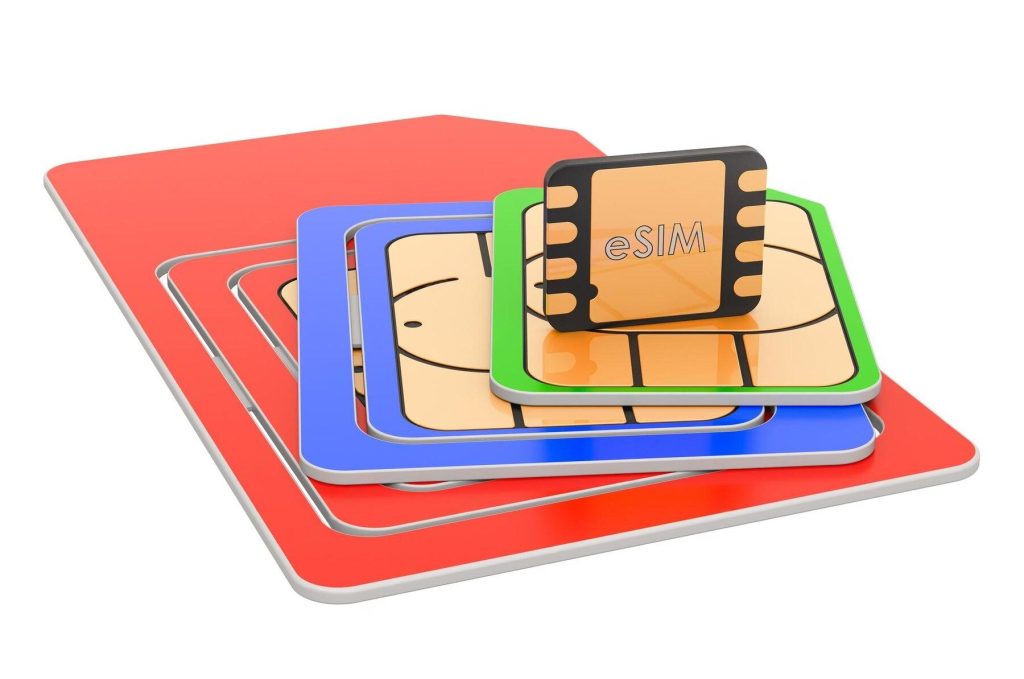
eSIM, or “Embedded Subscriber Identity Module”, is a virtual version of the traditional SIM card. Instead of a physical card, the eSIM is a chip soldered directly into the device's hardware, allowing users to choose a service provider and plans digitally.
What is a Traditional SIM?
The traditional SIM is a removable physical card that contains subscriber information and is required to authenticate and connect the device to the cellular network.
How to Activate and Use eSIM?
To activate an eSIM, users typically scan a QR code provided by the carrier, downloading the required profile for the device. It is possible to add multiple eSIM plans to a single device, making it easy to switch between numbers or operators without changing physical cards.
Advantages of eSIM over Traditional SIM:
- Convenience: Eliminates the need to physically change SIM cards when changing operators or when you want to use multiple numbers.
- Design: It allows manufacturers to create lighter and stronger devices as there is no need for space for a SIM slot.
- Flexibility and Operator Selection: Allows users to change operator or data plan directly from the device.
- International trip: Makes it easy to switch to local carriers without having to get a new SIM card.
- Multiple Lines: Ability to manage multiple lines and numbers on a single device.
Potential Disadvantages and Limitations of eSIM:
- Compatibility and Availability: Not all devices or carriers currently support eSIM.
- Device Replacement: Transferring an eSIM from one device to another can be more complex than simply swapping a physical SIM card.
- Privacy and Security: While eSIMs are secure, there are considerations around protecting personal data when profiles are transferred or managed digitally.
User FAQs about eSIM:
- Can I use the eSIM on any device? No, only on devices compatible with eSIM technology.
- Does switching to eSIM cancel my contract with my current provider? It depends on the provider's policy. It is advisable to check the terms before making the switch.
- Is the eSIM secure? Yes, the eSIM offers the same level of security as the traditional SIM and adds layers of security through encryption and software protection.
- Can I have an eSIM and a traditional SIM on the same device? Some devices allow the simultaneous use of an eSIM and a traditional SIM, providing even more flexibility.
Conclusion
eSIM is a promising technology that offers many advantages to users and device manufacturers. With evolving telecommunications standards and growing carrier support, eSIM has the potential to become the new norm for mobile connectivity. As eSIM adoption grows, consumers will enjoy greater freedom of choice and convenience, paving the way for a new era of connected devices and user experiences.
As more devices adopt this technology, it is important for users to stay informed about the options available and consider the implications of switching to eSIM in relation to their individual connectivity needs.
What to look for before installing
- Does the system already do that?. Android and iOS both come with built-in flashlight, recorder, document scanner, meter, and QR code reader. It's worth checking before installing yet another app.
- Billing model. Check if it's free with ads, a one-time payment, or a subscription. Subscriptions for simple tasks rarely make sense.
- Update frequency. An app that hasn't been updated in over a year is likely to break with the next system version.
- It works offline. Many of these utilities don't require internet access. If an app requires a connection for a local task, you should be suspicious.
What these apps don't do
Before installing, it's worth managing your expectations: there are things that no app in this category delivers.
- Cleaning apps don't permanently speed up your device: Android already manages memory on its own.
- No app actually increases battery capacity — what you can do is reduce consumption by turning off features.
- Features that rely on missing hardware won't work via software. Without the sensor, no application can solve the problem.
- Apps that promise impossible functions are often advertising platforms, and some request permissions they shouldn't.
Step-by-step to get started
- Uninstall anything that hasn't opened in months. The list by usage time is in the settings. It's the most lasting way to save space.
- Move photos and videos to the cloud. After confirming the backup, release the local copy. It usually returns several gigabytes.
- Restart before concluding that it's slow. Much of the slowness disappears with a restart, without needing any application.
- See what takes up space before installing a cleaner. In Settings › Storage, the system itself shows the breakdown by type. Almost always the culprits are video and social media cache.
Traps that catch almost everyone
- Installing a cleaner that promises to speed up your phone — Android already manages memory on its own, and the gains don't last.
- Granting accessibility permission to a utility that doesn't need it.
- Deleting an application folder through the file manager can result in lost data that cannot be recovered.
- Trusting an app that promises functionality without having the corresponding sensor on the device.
Before installing: what's already on the device
Android and iPhone already include features like a flashlight, voice recorder, document scanning, QR code reader, ruler, compass, level, and screen recording. Before installing, it's worth checking the settings – many people install what they already have.
Before migrating: the three mandatory checks
Replacing a physical SIM card with an eSIM almost always fails for one of these three reasons, and all of them can be checked in minutes.
- Is the device compatible? Not all cell phones have the module. The safe way to check is to look for an option to add a plan or eSIM in the network settings. Many devices also have a universal information code that displays the embedded chip's identifier, the EID — if it appears, the device supports it.
- Is the device unlocked? A phone locked to one carrier will not accept a profile from another. Devices purchased abroad or with subsidized plans may have this restriction.
- Does the provider offer this service with your plan? Not all payment methods are supported. Prepaid plans, in some providers, have different rules than postpaid plans.
Once the three points are confirmed, activation is usually done by scanning a QR code provided by the carrier or through activation within their app. Do this with your old SIM card still working and with Wi-Fi available: profile installation requires a connection, and if something goes wrong you still have the physical SIM card to call for help.
Switching devices is no longer just about removing the SIM card.
The practical difference is the most surprising. With a physical chip, switching phones is as simple as opening the tray and swiping the card. With eSIM, the profile is saved on the old device and needs to be transferred.
Possible paths:
- Direct transfer between devices. Recent systems allow you to move a profile from one phone to another during initial setup, provided both phones are nearby. This is the simplest method when available.
- New QR Code from the operator. You request a profile reissue; the old one is deactivated and the new one is installed. This usually requires customer service and identity verification.
- Operator's app. Several options allow you to manage your eSIM and issue a new profile without going to the store.
Two recommendations to avoid headaches: don't delete the profile from your old device before the new one is working, because removal is permanent and requires re-issuance; and if you are going to sell or give away the phone, remove the profile before handing it over, along with clearing the data.
An extra tip for those going to technical support: inform them that the device has an eSIM. Replacing the motherboard implies loss of the profile, which requires reissuance by the carrier.
Loss, theft, and the security aspect.
Here, the eSIM has a clear advantage over the physical chip, and it's worth understanding why.
The scam known as SIM card swapping works like this: the criminal convinces the mobile operator to transfer your number to a card in their possession, using data obtained from data breaches. From then on, they receive your SMS messages, including verification codes from banks and messaging apps.
With eSIM, the procedure tends to be more rigorous: reissuing a profile usually requires authentication in the operator's app or more robust in-person validation. It's not immune to fraud, but there's an extra layer of protection.
Another practical advantage: a thief can't simply open the tray and throw the SIM card away to prevent the device from being tracked. Without a removable SIM card, the phone tends to stay connected for longer, which helps with blocking and remote location tracking.
Regardless of the technology, three measures remain essential: activate two-step verification via an authenticator app instead of SMS; register your WhatsApp PIN; and note the device's identification number to report it in case of theft. If your phone goes missing, immediately call your carrier and block the line before taking any other action.
Two numbers on the same device
The use that most justifies the migration is the double number, and it solves specific situations:
- Separate work and personal life. Without having to carry two cell phones, and with the option to silence the work line outside of business hours.
- Traveling while keeping your Brazilian number active. to receive verification codes, while the data runs through a cheap local plan.
- Take advantage of different promotions. One line with a good data package and another with good voice service.
- Try another carrier. without giving up the current one, which is useful in regions where coverage varies greatly.
How it works in practice: you define one line as the default for data, and choose the behavior for calls and messages for each line. It's possible to assign a preferred line per contact, which prevents dialing from the wrong number. Two details are worth noting: only one line usually uses data at a time, and keeping two lines active consumes a bit more battery.
Portability, coverage, and what doesn't change.
Some points that generate misguided expectations:
- eSIM does not improve the signal. The antenna, the network, and the coverage are the same. The technology changes in how the plan is stored on the device, not the quality of the connection.
- Number portability remains the same. You can switch your number to another carrier and receive the new plan on an eSIM, but the process, timelines, and rules remain the same.
- The number cannot be accidentally deleted. Removing the profile from the device does not cancel the line or release the number; it remains yours, and the operator reissues the profile.
- There is no automatic savings. The plan price is the same; what changes is the convenience of activating it without waiting for a physical card to be delivered.
- No battery, no line. This applies to both formats, but those who were used to transferring the SIM card to a backup device lose that option — unless they plan the transfer beforehand.
One final recommendation for those who rely on their phone for work: keep a spare device ready or know by heart how to request a profile reissue through your carrier's app. Migrating to eSIM is convenient for everyday use, but requires a backup plan in advance for the day your phone breaks.



