
Important notice before anything else: No mobile app performs examinations, diagnoses, or clinical evaluations of babies. Apps that use the phone's microphone only amplify abdominal sounds and serve, at most, as an emotional memento—often what you hear is your own bowel movements, your circulation, or ambient noise. Hearing nothing on the app means absolutely nothing., Hearing something doesn't guarantee that everything is alright. The obstetrician is the one who assesses the baby's well-being using Doppler ultrasound and other ultrasound procedures. If you have any doubts, bleeding, pain, or reduced fetal movement, seek medical attention immediately.
Having issued that warning, we can now discuss the subject honestly. Hearing—or trying to hear—the baby's heartbeat is one of the most memorable experiences of pregnancy, and there's legitimate curiosity about what cell phones can do in this area. In this article, you'll understand how these apps really work, why the results vary so much, which apps are actually available in official app stores, what health organizations recommend regarding home fetal monitors, and which pregnancy apps are actually useful in everyday life.
How do apps that promise to listen to a baby's heartbeat work?
The principle is simple: the app turns on the phone's microphone, applies filters to reduce high-pitched noise, and amplifies low frequencies. You place the device against your stomach and listen to the result with headphones. There is no wave emission, no ultrasound, no special sensor — it's the same microphone you use to talk on the phone.
That's the central limitation. The fetal heartbeat, especially before the third trimester, produces a very faint sound, muffled by amniotic fluid, the abdominal wall, and the placenta. The cell phone microphone wasn't designed to isolate this type of sound. Therefore, what usually appears in the recording is:
- Intestinal noise, which is abundant and easily confused with "pills".
- Your own heartbeat, transmitted through the abdominal aorta — generally between 60 and 100 beats per minute.
- Friction noise from the cell phone against the skin.
- Ambient noise amplified by the filters.
The developers of these apps themselves often state that they are more likely to work after the 30th week and that many users don't see any results at all. App store reviews confirm this: it's common to find thousands of comments saying the app doesn't capture anything. This isn't a defect of a specific app—it's the physical limitations of the hardware.
Why does the doctor's office ultrasound work and the cell phone doesn't?
The device used during the consultation is a fetal Doppler ultrasound. It emits ultrasound waves, captures the echo reflected by the baby's heartbeat, and converts it into audible sound and a numerical frequency on the screen. It is a registered medical device with a specific transducer, used with conductive gel by a trained professional who knows how to distinguish the fetal heartbeat from the maternal heartbeat.
Cell phones don't emit waves. They only listen. They are different technologies, with different results — and that's why no app can replace a consultation.
What do health recommendations say about home monitors?
Health services in several countries advise against the home use of Doppler ultrasound devices purchased online, and this reasoning applies even more strongly to mobile applications. The risk is not the machine itself, but the interpretation. A pregnant woman who feels the baby moving less might turn on the device and hear... some Hearing the sound and calming down can postpone a necessary trip to the emergency room. The sound heard was often her own.
The practical advice is always the same: Reduced movement in a baby is reason to seek evaluation on the same day., regardless of what any app or home device indicates.
Real apps that record and amplify belly sounds.
If the goal is to keep a memory—and not to assess health—there are legitimate apps available in official app stores. Think of them as a recorder with a filter, not a fetal monitor. They all work best at the end of pregnancy, in a quiet environment, and with headphones.
1. Hear My Baby Heartbeat Monitor
It's one of the best-known apps in its category. It records audio captured by the microphone, applies an amplification filter, and allows you to save and share the file with your family. The app's own description makes it clear that it is not a medical device and that results vary considerably from person to person. It is available on... Google Play.
It's a nice keepsake: record an audio clip of your belly at eight months and keep it with your pregnancy photos. It's not a valid wellness check-up—for that, there are prenatal appointments.
2. Voice recorder on your own cell phone.
It might sound obvious, but the native Android or iPhone recorder does basically the same job, at no cost and without a subscription. With headphones connected and a quiet environment, you record and then listen at high volume. If the goal is to create a lasting memory, the result is equivalent to that of paid apps.
3. The app for your sonar, when the device is genuine.
Some home Doppler ultrasound devices sold with health registration come with their own app, which only serves to record audio coming from the device via cable or Bluetooth. Here, the audio comes from the equipment, not the phone's microphone — but the warning still applies: even with a home ultrasound, interpretation requires a professional, and the device should never be used to decide whether or not it's time to go to the hospital.
What really helps with tracking pregnancy using a cell phone?
There is a set of apps that delivers concrete value during pregnancy — week-by-week information, symptom tracking, appointment and exam reminders, and fetal movement monitoring, which is a recommended and simple practice to follow.
1. BabyCenter — Pregnancy and Baby
It tracks the baby's development week by week, lists exams by trimester, provides a consultation calendar, and includes revised content on common symptoms. It also has space to record weight, blood pressure readings from appointments, and notes to take to the obstetrician. Available at [website/platform name]. Google Play and in App Store.
2. Pregnancy+
One of the most comprehensive pregnancy tracking apps, featuring 3D illustrations of fetal development, a contraction counter, a checklist for the maternity ward, and a log of appointments. The Portuguese interface makes it easy to use every day. Available at [website/platform name]. Google Play.
3. Pregnancy Tracker (Wachanga)
Focused on record-keeping: weight, mood, symptoms, exams, and a pregnancy diary. Good for those who want to arrive at their appointment with an organized history of what happened between visits. Available at [website/platform name]. Google Play.
4. Glow Nurture
It combines weekly monitoring with detailed symptom logging and a fetal movement counter. The counter is the most useful feature on the list: you mark the start time and count the perceived movements, creating a personal reference pattern to discuss with your doctor. Available at [website/platform name]. Google Play.
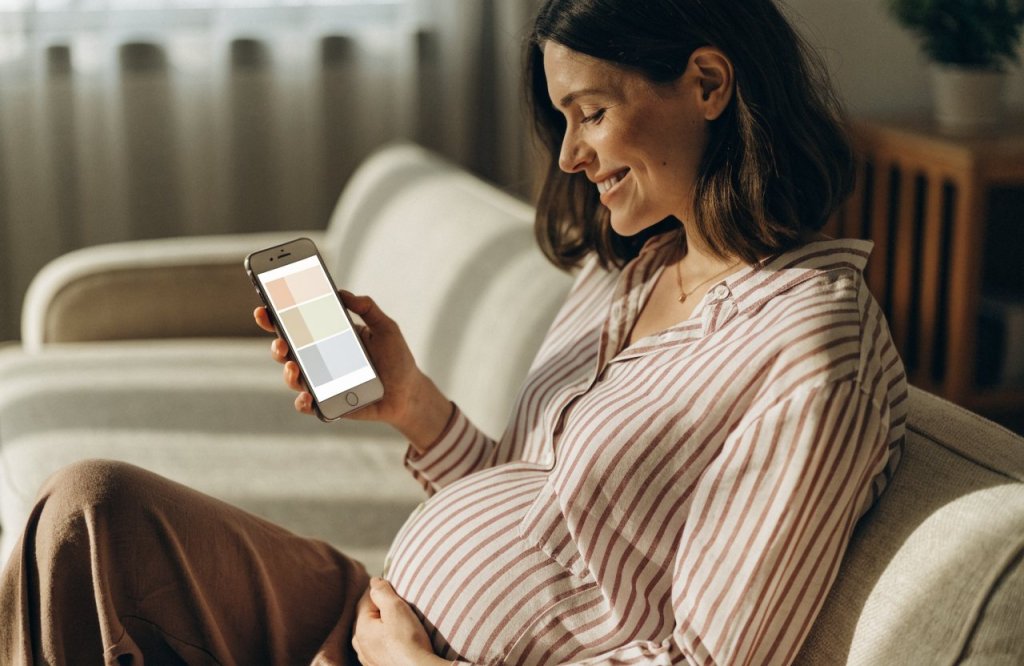
How to count your baby's movements — the tracking that's worth it.
Unlike trying to listen to the heartbeat with your cell phone, counting movements is a simple, free practice recognized as useful in the third trimester. It doesn't depend on any equipment, just attention and regularity.
- Choose a fixed time of day, preferably when the baby is usually most active (often after a meal).
- Lie on your side in a quiet environment and note the start time.
- Count every movement you perceive: kicks, turns, elbow strikes. Hiccups don't count.
- Record how long it took you to notice the usual pattern of movements that your obstetrician instructed you to observe.
- Repeat this every day, at the same time, to get to know the rhythm of... your baby.
The central point is not to reach a magic number, but rather to perceive changes in the pattern. If a baby who is usually very active becomes quieter, or if it takes you much longer than usual to feel the movements, seek medical attention that same day. This is the important sign—and no audio app can replace this observation.
Be careful when using any pregnancy app.
- Download only from official stores., Installation files found outside of Google Play and the App Store often contain unwanted software.
- Check out the privacy policy.. Pregnancy data is sensitive; see what is collected and if it is shared with third parties.
- Pay attention to the signatures.. Several apps in this category offer short trials and weekly billing. Cancellation is done through the app store, not within the app.
- Be wary of promises of accuracy. An app that presents itself as a reliable test, monitor, or sonar replacement is promising what it cannot deliver.
- Take your questions to the consultation. Take notes and ask questions — that's what prenatal care is for.
Common questions
Do these apps actually pick up a baby's heartbeat? In some situations, towards the end of pregnancy and in complete silence, it's possible to pick up some compatible sounds. But there's no way to guarantee it, and it's very common for the sound heard to be the mother's own heartbeat or intestinal noises. Do not use the result to assess your health.
After how many weeks does it start to work? The developers indicate that detection can begin around the 30th week, with a low chance before then. Even so, many pregnant women don't detect anything at any stage.
I didn't hear anything. Should I be worried? Silence on the app is not a clinical sign—it doesn't indicate a problem or normality. What requires immediate attention is reduced fetal movement, bleeding, fluid loss, severe pain, or fever. In these cases, seek medical attention.
Does the app emit any waves that could harm the baby? No. These apps only use the microphone; they don't emit ultrasound or radiation. The risk isn't physical, it's due to misinterpretation.
Is it worth buying a Doppler ultrasound device for home use? Healthcare providers generally advise against it for the same reason: the device can give a false sense of security to those who don't know how to interpret what they hear. Talk to your obstetrician before buying one.
Which app is really worth installing during pregnancy? The support services — BabyCenter, Pregnancy+, Wachanga, Glow Nurture — organize appointments, exams, symptoms, and fetal movements. They are the ones that truly help in day-to-day life.
Conclusion
The desire to hear the baby's heartbeat at home is completely understandable, and there's nothing wrong with recording an audio message from the womb as a keepsake. The problem arises when an app is presented as an accurate, reliable monitor or capable of indicating that "everything is okay"—because a cell phone microphone can't do that, and believing it can might delay necessary medical attention.
The safe approach is to combine two things: use your cell phone for what it does best — organizing prenatal care, recording symptoms, tracking movements, and preserving memories — and leave the evaluation of the baby to those who have the equipment and training for it. Regular checkups, attention to the baby's movements, and no hesitation in seeking hospital care at the first sign of a warning are worth more than any app.



