
Nowadays, privacy has become a growing concern for many individuals. Amid frequent reports of hidden surveillance devices in private and public locations, the demand for solutions capable of identifying these invisible threats has increased significantly. In this context, hidden camera detection apps have emerged, created to help search for these unwanted devices in environments where you have a right to privacy, such as hotel rooms, changing rooms, and rented properties.
It's worth noting from the start: these apps are helpful, but they are not reliable sources of evidence. They work with the common sensors of cell phones and only obtain indications in specific situations — an exposed lens that reflects light, or a metallic component close enough to alter the compass reading. No negative result means the environment is clean, and false positive results are frequent (any electronic device or metallic structure triggers the alarm). Below, see what each approach does and where it fails.
Top Hidden Camera Detector Apps
In the current landscape, several apps promise to help detect hidden cameras. Each one uses a different technique and, therefore, also has different limitations.
Detector de Câmeras Escondidas
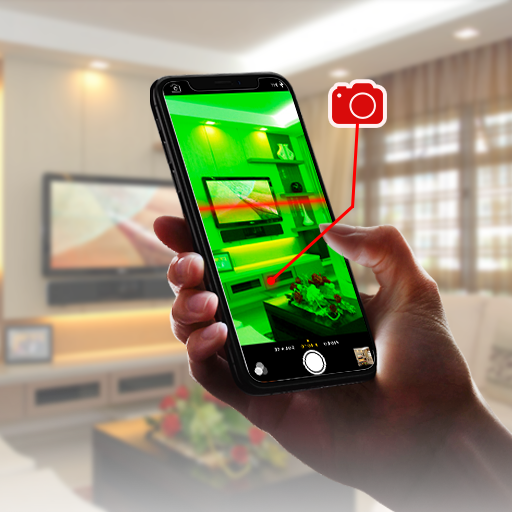
This app uses your smartphone's camera to search for typical lens reflections, a simple technique that can reveal poorly hidden devices. Furthermore, it offers a user-friendly interface and step-by-step instructions to assist even the least experienced users during the inspection process.
The advantage of the Hidden Camera Detector is that it can be used in a wide range of environments, from hotel rooms to changing rooms. The limitation is equally clear: the method only works when the lens is exposed and reflects light—cameras behind dark glass, fabric, or tiny holes go unnoticed.
Hidden Camera Detector – Peek
This app combines the two most common techniques into a single interface: scanning with the device's magnetometer and searching for lens flares using the flash. It also lists devices connected to the same Wi-Fi network, which may indicate the presence of a network camera in the area.
This network scan only sees what's on your network: a camera connected to another Wi-Fi network, with its own SIM card, or that only records to a memory card remains invisible to the application. Use the tool to support a careful visual inspection, never as a definitive verdict. You can find the official specifications at [website address - implied but not explicitly stated]. Play Store.
Glint Finder
Glint Finder relies on a specific technique: detecting the glint of lenses. By emitting a series of light flashes, the app highlights characteristic reflections on the screen, leaving it up to you to judge whether it's actually a lens or just a random shiny object.
The method is more effective in dark environments with controlled lighting, making it a good option for inspecting hotel rooms. However, it relies entirely on your observation skills: the app only illuminates the scene, and mirrors, screws, and polished surfaces produce similar reflections.
iAmNotified
iAmNotified has a different approach: instead of searching for cameras in the environment, it alerts you to attempts to access your own phone, based on the idea that invasion of privacy can be both physical and digital.
This app stands out by treating personal security as something broader than just searching for hidden cameras, also taking care of the information stored on the device. It doesn't detect hidden cameras — it's a complement, not a substitute for inspecting the environment.
Hidden Camera Detector
The Hidden Camera Detector works with the magnetic sensor found in most modern smartphones. It shows variations in the magnetic field that may indicate the presence of an electronic or metallic component behind a surface.
It's important to understand what the sensor actually measures: it detects metal and magnets, not cameras. Hinges, pipes, electrical outlets, speakers, and furniture with metal frames also alter the reading. Therefore, the alarm acts as an invitation to take a closer look at that point, not as confirmation.
Features and Benefits
Exploring hidden camera detection apps, it becomes clear that each offers a different set of features. From techniques based on visual analysis to methods that utilize magnetic sensors or Wi-Fi network scanning, these tools provide a starting point for those who want to inspect a room before relaxing in it. They support manual inspection—turning off the lights and looking for reflections, checking objects pointed towards the bed, observing mirrors and smoke detectors remains the most effective method.
If you find a recording device in a place where you expected privacy, don't try to handle the situation alone: preserve the scene, record what you saw, and contact the police. Recording someone without their consent in a private setting is a crime, and the investigation must be carried out by the authorities.
FAQ – Frequently Asked Questions
Q: Are hidden camera detector apps really effective? A: They help, but they're not reliable. They only find cameras with exposed lenses or metallic components near the surface, and they produce many false alarms. No negative result guarantees that there are no cameras in the environment.
Q: Can I fully trust these apps to guarantee my privacy? A: No. They should be used as part of a broader inspection, along with a visual search of the environment. They do not replace caution or additional safety measures.
Q: Are these apps capable of detecting all types of hidden cameras? A: No. Wireless, battery-powered, and deeply embedded cameras often escape all available methods on a regular cell phone. It is advisable to combine the use of apps with manual inspections.
Q: Can I use these apps to spy on someone else? A: No. They serve to protect your own privacy in environments you occupy. Installing cameras or monitoring someone without their consent is illegal.
Conclusion
In conclusion, hidden camera detection apps are a useful tool for protecting your privacy, provided you understand their limitations. With growing concerns about personal safety, these tools offer an accessible first layer of verification, which works best when combined with a good visual inspection of the environment. Choose the app that suits your needs, understand what each sensor can measure, and, if you have any concrete suspicions, contact the authorities.
What to look for before installing
- Resolution of the exported file. Some reduce the image size when exporting without a signature. If the photo is for printing, this is a crucial factor.
- Watermark on the free version. This is the most common trick: the app lets you edit for free, but then stamps the logo on it when you save. Check this before investing your time.
- App weight. Full-featured editors can exceed 300 MB. On devices with limited storage, a lightweight app will handle the basics without crashing.
- Preserve the original. Good editors save a copy. Be wary of any app that overwrites the file directly.
What these apps don't do
Before installing, it's worth managing your expectations: there are things that no app in this category delivers.
- Recovering deleted photos only works on images that haven't been overwritten yet, and the chances of success decrease with each use of the device.
- No app can see through clothes or walls. What exists is simulation — a generated image, not a captured image.
- They don't recover details that don't exist in the file. Increasing the resolution reconstructs pixels by estimation—it doesn't reveal lost information.
- They don't remove watermarks from third-party photos. Besides not working properly, using the image without a license is a copyright violation.



