
Losing your cell phone is one of those scares that almost everyone has experienced. The good news is that today, both Android and iPhone come with a built-in, free tracking system capable of showing the device's location in real time on a map—as long as it's turned on and connected. In this guide, we've compiled the... apps to track cell phones in real time which ones actually work, how to set each one up in just a few minutes, and what to do in the first few hours after a loss or theft.
First of all, it's worth clarifying what this article is and what it is not. All the tools listed here serve to... track your own device Or to share location between people who have agreed to it — family, couple, group of friends on a trip — and, in the case of children, for transparent parental monitoring, with the child knowing that the feature is active. There is no indication here of an app to secretly monitor someone: besides being a crime, this type of app is usually the scam itself, as you will see in the section on fraud later on.
What a tracking app actually does (and what it doesn't do)
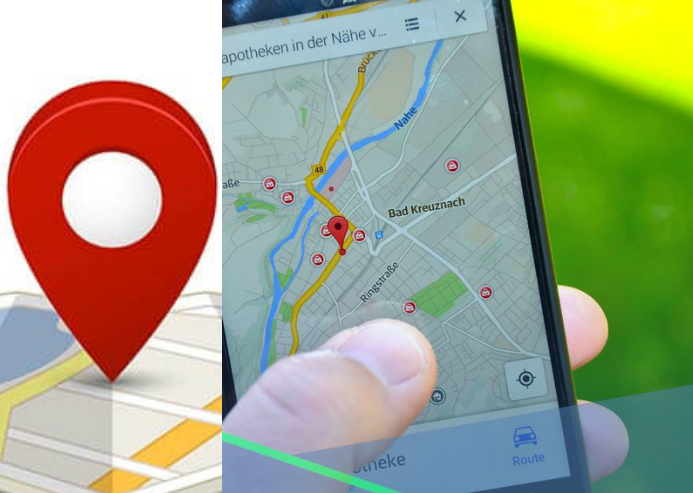
A tracking app takes the location calculated by the device's GPS, Wi-Fi, and cell phone towers and sends that data to your account. You open a website or another phone, log in, and see the location on the map. It's that simple—and that's precisely why there are limits that no advertisement can circumvent.
- The device needs to be turned on and have an internet connection. to send the current position. Without this, the most you see is the last known location.
- The feature needs to have been activated beforehand. You can't install tracking on a cell phone that's already gone missing.
- You need to have access to the account. (Google, Apple or Samsung) that was configured on the device.
- Tracking by phone number doesn't work. For the average citizen, antenna location data is provided by the operator and is only released upon court order or official request from an authority.
Remember these four lines: they separate the serious apps from the fanciful promises circulating out there.
The rule that defines whether the use is legal.
Tracking your own device or sharing your location with whomever you want is perfectly legal. The problem arises when someone installs a program on another adult's cell phone without their knowledge. In Brazil, invading someone else's device to obtain data without authorization is a crime typified in article 154-A of the [Brazilian Penal Code]. Penal Code, And the conduct may also give rise to civil liability for violation of privacy and personal data.
In the case of underage children, supervision is permitted and recommended — but best practice (and what the app stores themselves require of reputable apps) is that it be done... transparentThe child or teenager knows the feature exists, sees the icon on the device, and is notified of what their parents can see. This is how Google Family Link and Life360 work, both of which are mentioned below.
The best tracking apps
The list below includes only options available in official app stores — Google Play and the App Store. Downloading a tracker from a third-party website or as a separate APK file is the quickest way to install malicious software on the very phone you wanted to protect.
1. Buscar / Find My (iPhone e iPad)
O Search It's Apple's integrated solution and comes pre-installed on the iPhone. It shows the device's exact location on a map and allows remote actions: playing a sound, activating Lost Mode with a message on the lock screen, or remotely erasing data. Because it's linked to your Apple ID, a single login shows your iPhone, iPad, Mac, Apple Watch, and AirPods on the same map.
Two details make all the difference. The first is the Search networkEven offline, the iPhone can be located using encrypted tracking by other Apple devices that pass nearby. The second feature is Activation Lock, which prevents the stolen device from being reset by third parties. Check out how to activate it at [link to Apple app/website]. official page of Buscar or download the app at App Store, in case it has been removed from the home screen.
2. Encontre Meu Dispositivo (Android)
O Find My Device Google's equivalent for Android is also free. It locates devices, sounds an alarm at maximum volume even when the phone is on silent, locks the screen with a message and contact number, and remotely erases data. In the latest versions, Google's collaborative network also helps find devices that are switched off or without internet access that are compatible with the feature.
The big advantage is the integration with your Google Account: if you already use your phone with your account, the service is probably already enabled. It's worth checking the official website or downloading the app from [link to app]. Google Play. The complete step-by-step instructions are in... Android Help Center.
3. Life360
O Life360 It's a family location app where All participants enter by invitation and show up for each other. — No one is added secretly. With "Circles," the family sees the position of each member on the map, receives arrival and departure alerts from defined locations (home, school, work), and has access to car accident detection and an emergency button in paid plans.
In addition to the map, it offers a history of movements, low battery alerts for members, and an internal chat. It's the natural choice for families who want to combine security with transparency. Available on... Google Play and in App Store.
4. Samsung SmartThings Find
Those who use Galaxy have an extra layer of protection. SmartThings Find, The feature within the SmartThings app locates Samsung phones, tablets, watches, and headphones connected to your Samsung Account. Its distinguishing feature is offline networking: other nearby Galaxy devices help estimate your device's location even without internet access, and there's a proximity search that "heats up" as you get closer.
The same ecosystem offers the Find My Mobile, Accessible via browser, with remote locking, emergency backup, and remote battery extension. Download SmartThings at [link to app]. Google Play or in App Store.
5. Prey Anti-Roubo
O Prey It's aimed at those who want a single hub for multiple personal devices: cell phones, laptops, and tablets, even those with different operating systems. On the web dashboard, you can see a map with the location of each device, mark a device as lost, trigger an alarm, display a message on the screen, and generate location reports that help with filing a police report.
It's a common option used by freelancers and small businesses to control company equipment. In this business scenario, the rule still applies: the device must belong to the company, and the employee must be informed, through a signed internal policy, that the work device is trackable. It's in... Google Play and in App Store.
6. Google Family Link (controle parental transparente)
To monitor a minor child's cell phone, the official way is... Family Link. It shows the child's device location, sets screen time limits, requires approval to install apps, and allows the device to be remotely locked at bedtime. All of this is clearly visible on the child's phone, and they receive a notification when supervision is activated.
Our suggestion is to combine the tool with a conversation: explain to the teenager why the feature is turned on and exactly what you can see. Combined with the tool, this conversation greatly reduces friction and also teaches the teenager to protect their own privacy. Learn more at [link to website/resource]. Family Link official website or download it from Google Play and in App Store. If that's exactly what you're looking for, also check out our guide on... Real-time tracking of your child's location..
Advanced tracking features
Beyond the location on the map, reputable apps offer features that significantly increase the chances of recovering a device—or providing peace of mind for the family. The most useful ones are:
- Safe zones (geofencing): You draw an area on the map (home, school, gym) and receive a notification when the device enters or leaves that area.
- Route history: It shows the path the device took, which helps reconstruct the route back to where it was left behind.
- Remote alarm: It makes your phone ring at maximum volume even in silent mode, ideal when it's fallen on the sofa or left in the car.
- Lock screen and message: It displays a message with a contact phone number for whoever finds the device, without exposing your personal information.
- Remote wipe: It wipes photos, messages, and bank accounts from the device when recovery is no longer feasible.
- Low battery alert: Notify your family before the device goes dead, giving them time to agree on a meeting point.
Note that none of these functions involve reading conversations or monitoring another person's social media. Apps that advertise this type of access are not security tools: they are stalkerware, banned from official app stores and treated as malware by antivirus programs.
How to get everything ready in 5 minutes
Tracking is only useful if it's turned on before the problem occurs. Check it now, with your phone in hand:
- Android: open Settings > Google > All services > Find My Device and confirm that the option is enabled. Then, enable Location in Settings > Location.
- iPhone: go to Settings > Your name > Find My > Find My iPhone And also enable "Network Search" and "Send Last Location".
- Galaxy: enter Settings > Security and privacy > Find my phone and enable offline search.
- Real test: On another device or computer, access the service, log in, and see if the phone appears on the map. Also test the remote alarm.
- Write it down now. The IMEI (dial *#06#) should be saved in a safe place. It is required for the police report and for blocking the number with the operator.
If your cell phone has ever been lost or stolen
The first few hours are crucial, and the order of actions matters more than haste. Start by accessing the tracking service on a computer or a trusted person's cell phone and activate Lost Mode or message lock—this locks the device without erasing data, keeping location tracking active. Only use remote wipe when you understand there is no real chance of recovery, because after that, tracking usually stops.
Next, notify the bank and block the financial applications, file a police report (an online report with your state's police usually resolves this), and ask your mobile carrier to block the SIM card and IMEI. And one essential security point: Never go alone to the address shown on the map.. The location is an estimate, it could be off by tens of meters, and confronting whoever has the device is an unnecessary risk. Take the information to the police.
Common scams involving "tracking cell phones"“
This is one of the most exploited themes by online scammers, precisely because those seeking help are vulnerable. Pay attention to these patterns:
- “"Track any cell phone using only the number": It doesn't exist. The site usually asks for your data, charges a recurring subscription, and never provides any location information.
- Spy apps that promise to read third-party messages: In addition to being illegal, many are traps that steal the data of those who install them and charge monthly fees that are difficult to cancel.
- "Premium APK released": This file, downloaded outside of Google Play, contains a fake tracker and embedded malware. Always install from the official store.
- Fake employee of the carrier or Apple/Google: After the theft, the criminal calls or texts saying they "found" the device and asks for your Apple ID or Google password. This is an attempt to unlock the stolen phone. Never give this information.
- Link for "shared location" via SMS: It opens a fake login page to capture your password.
To reduce overall risk, keep two-step verification enabled on your main account, leave the Google Play Protect Connect and consider installing a security solution — we've gathered some good options in the guide. antivirus apps for mobile phones.
Frequently Asked Questions (FAQ)
Q: Are cell phone tracking apps legal?
A: Yes, when used on your own device or with the consent of the person being tracked. Installing a program on another adult's cell phone without permission is a crime and can lead to civil and criminal prosecution.
Q: Can I track someone else's cell phone?
A: Only if she knows and agrees — for example, by accepting the location sharing invitation from Google Maps, Find My, or Life360. In the case of a minor child, use Family Link and explain to them that supervision is active.
Q: Is it possible to track a cell phone using only the phone number?
A: No. Services that promise this are a scam. Antenna location tracking exists, but it is controlled by the operator and depends on a request from the competent authority.
Q: Do the apps work if the device is turned off?
A: As a rule, no: the device needs to be switched on and connected to transmit its location. Apple, Google, and Samsung's collaborative networks can locate some recent models even offline, and all services show the last known location before the device was switched off.
Q: How can I tell if someone installed a tracking app on my phone?
A: Be wary of sudden battery drain, overheating without use, and unusually high data consumption. Check in Settings > Apps If there are programs you don't recognize, review who has administrator and accessibility permissions on the device, run a scan with Play Protect or an antivirus program, and change the password for your main account by enabling two-step verification. As a last resort, a backup followed by a factory reset will solve the problem.
Q: Can using tracking apps affect battery life?
A: Yes, continuous tracking consumes more energy. Almost all allow you to adjust the location update frequency to reduce this impact.
Conclusion
Real-time cell phone tracking apps effectively solve two concrete problems: recovering a lost or stolen device and keeping the family informed about everyone's location. For the first case, Find My, Find My Device, and SmartThings Find are already included in your phone and are free—just activate them today. For the second, Life360 and Family Link do the job transparently, with everyone aware.
What's absolutely not worth it is looking for shortcuts: apps that promise to locate someone by number, read other people's messages, or work invisibly deliver problems, not solutions. Set up the official tools now, write down the IMEI, and keep two-step verification enabled. That way, if you get a problem, you'll already know exactly what to do.



