Apps for playing guitar: 4 best options
 Put Rodrigo Pereira
0
Put Rodrigo Pereira
0
Many of us love music and want to learn to play a new instrument. The guitar is always the first option and now, with technology and apps to play guitar, learning has become even easier.
So, throughout this article, you will learn more about the best apps to play the guitar.
4 best apps to play the guitar
Afinador Guitarra -Guitar Tuna
Guitar Tuna is certainly the most popular app for tuning your guitar. In addition to acoustic guitars, it allows you to tune many other stringed instruments such as violins, banjos, and other mandolins.
It is aimed at both beginners and experienced musicians because it is very simple to use, but is still configurable to offer more flexibility and precision to more experienced ones.
Like other tuning apps, Guitar Tuna uses your smartphone's microphone to hear the note, set it, and then simply guide you to tune it. This even works in a noisy environment, as the app analyzes and removes background noise to focus on the note you play.
Guitar Tuna also contains other tools that might be interesting for beginners, namely: a metronome, a chord dictionary, and several chord learning games.
Violão iniciante: Coach Guitar
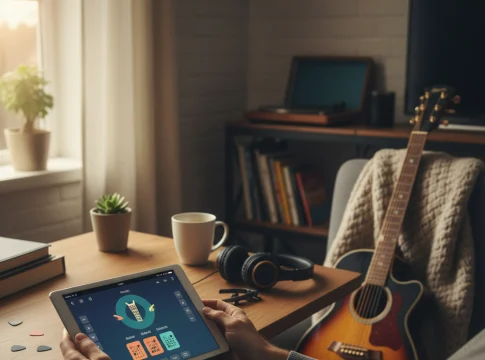
Coach Guitar is an application that advocates learning the guitar with a new method. Aimed primarily at beginners who don't have any specific musical knowledge, Coach Guitar is fun and interactive.
Never has a method of learning guitar been so easy thanks to the 5 colors assigned to each finger, its complete videos and its pleasant interface with animations.
Coach Guitar already offers over 500 tracks, but new tracks are added every week, in all styles and for all levels.
Many tutorials are also available for beginners to start learning guitar on a good foundation and master its basics such as tuning or holding the instrument.
Songsterr Guitar Tabs & Chords
Songsterr is a tablature catalog that includes over 500,000 titles. The main difference with other catalogs is that Songsterr only offers one tab per song.
This allows the application to maintain a high quality threshold in its tablatures and not offer titles that can sometimes be transcribed inaccurately or even poorly.
The premium version offers very interesting features, such as offline mode, which allows you to consult tablatures without having a connection, or solo mode to isolate an instrument in a title.
Ultimate Guitar: guitarra accordes & Tabs
Ultimate Guitar is an impressive library. In fact, the catalog contains more than 1.4 million references, which means it's hard not to find what you're looking for.
Available for free download, however, the app contains several advertisements and limited access to certain functions.
With a professional account, you can take advantage of a tool that allows you to read tablatures at the rhythm that suits you, a tuner and a metronome, transpose songs to different keys and, of course, get rid of somewhat invasive advertisements.
See too:
Screen recording apps: 4 good options
Learn how to download new stickers on WhatsApp
Cell phone tracking apps: How to Download and Use
What to look for before installing
- It works offline. Studying while commuting requires downloading lessons beforehand, and not all apps allow this.
- Pace and time per session. Short daily sessions work better than weekly marathons, and some apps are designed for that purpose.
- What is free. Many offer the first few lessons for free and charge for continuing. It's worth seeing how far the free portion goes.
- The certificate has an expiration date. Application certificates are rarely formally recognized. If the goal is a resume, confirm this beforehand.
What these apps don't do
Before installing, it's worth managing your expectations: there are things that no app in this category delivers.
- Free content often covers the basics and stops right where the difficulty begins.
- They are not a substitute for formal courses when a recognized certification is required.
- Fluency is not guaranteed on its own: conversational practice with another person remains necessary.
- Gamification helps with consistency, but obscuring the content with points and sequences can give the feeling of greater progress than there actually is.
Common questions
Is the premium version worth paying for?
It makes sense when you've already established the habit and the free content has run out. Paying before establishing the routine usually results in a forgotten subscription.
Is it suitable for children?
Many have a kids' mode. It's worth checking the rating and whether there's advertising within the app.
Is it possible to learn solely through the app?
You can go a long way in terms of vocabulary and comprehension. But to speak naturally, practice with another person remains irreplaceable.
How much time per day?
15 to 20 minutes a day usually yields more results than two hours once a week, because spaced repetition is what makes it stick.
Is the certificate valid?
For personal use, yes. For formal job or institutional requirements, almost never—confirm before relying on it.
Step-by-step to get started
- Check what the app asks for during installation. Compare the permissions with what it actually does. It's the quickest test of trustworthiness.
- Try the free version before you pay. Check if the feature you want is outside the free plan—it usually is.
- Adjust the notifications on the first day. Leaving everything plugged in is the most common reason for uninstallation in the first week.
- Check if it works offline. If the task is local but still requires a connection, your data is being sent to a server.
Traps that catch almost everyone
- Ignore the fact that the free version limits exports or applies a watermark.
- Believing in a feature that the device's hardware does not support.
- Granting access to contacts, messages, or accessibility without a clear reason.
- Choosing based on average rating without reading recent negative reviews.
The alternative that is already included in the system
It's worth opening the search in your phone's settings before installing: Android and iPhone already have several built-in functions, and the native app usually consumes less battery and doesn't ask for any permissions beyond what's necessary.
The first few weeks: finger pain and what's normal.
Dropouts almost always happen between the second and fifth week, and the reason is physical. It's important to know what to expect.
The fingertips hurt because the string presses the skin against the fret. With regular practice, a callus forms—a layer of more resistant skin—which usually appears after two to four weeks of consistent practice. After that, the discomfort practically disappears.
What helps during this period:
- Short and frequent sessions. Fifteen minutes a day builds calluses better than two hours on Sunday, and causes less injury.
- Lighter strings. Nylon strings on a classical guitar are much softer than steel strings. To begin with, they make a real difference.
- String height adjusted. A guitar with the action too high relative to the fretboard requires excessive force. A setup by a luthier costs little and transforms an unplayable instrument into a comfortable one.
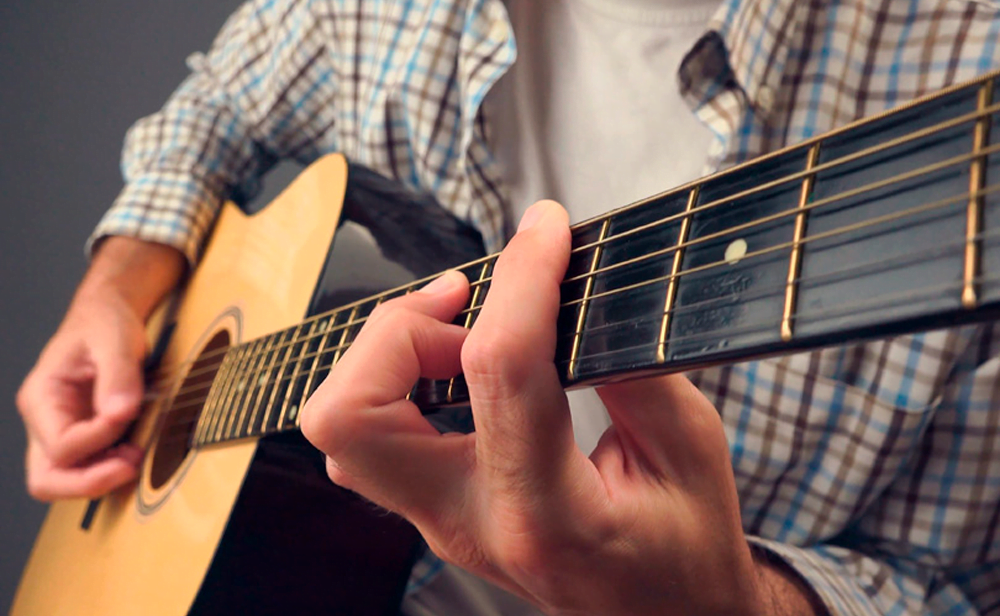
- Press near the fret, not on top of it or in the middle. It requires less force and the sound comes out clean.
- To stop hurting for real. Pain in the fingertip is expected; pain in the wrist, hand, or forearm is not. In that case, review your posture and reduce the time spent on the device.
Blisters and cracked skin require a break of one or two days. Touching the wound delays the healing process.
A study routine that fits into the day.
The app provides the content; what's lacking in most cases is structure. A 20-30 minute session, done regularly, yields more than any marathon.
- Tuning, 1 minute. Playing out of tune teaches the wrong ear. It's a step that should never be skipped.
- Warm-up, 5 minutes. Simple finger exercises along the arm, slowly, to loosen the hand.
- Technique, 8 minutes. One specific point: switching between two chords you're playing wrong, a barre chord, a new strumming pattern.
- Repertoire, 10 minutes. A song, from beginning to end, even with mistakes.
- Closing time, 3 minutes. Play something you already know. Finishing by getting it right keeps you motivated.
The most expensive mistake in self-study is practicing too fast. The rule that teachers repeat: play at the speed at which you get it right, and only increase it when you get it right three times in a row. Repeating incorrectly teaches the mistake, and unlearning it costs much more time than learning it.
Use a metronome from the beginning, even if it sounds boring. Rhythm is what separates those who play from those who just play the right chords.
What the app hears — and what it fails to evaluate.
Several guitar apps listen through the microphone and tell you if the note is correct. It's worth understanding the scope of this evaluation.
The recognition works by detecting the fundamental frequency of the captured sound. It can tell if the note played matches the expected one and, with more difficulty, if a chord is complete. In a quiet environment, with the instrument tuned, it is quite accurate.
What he doesn't evaluate:
- Posture. A tense shoulder, a twisted wrist, and a curved spine cause pain and limit progress. No microphone can detect that.
- Left hand position. Thumb resting on the arm, fingers lying flat, long fingernail — frequent causes of muffled sound that the app registers simply as "wrong," without saying why.
- Economic movement. Raising your fingers too high between chords permanently limits your speed.
- Sound quality. Uneven volume between the strings, harsh attack, lack of dynamics.
Therefore, the combination that works best is an app for daily practice, plus a few spaced-out in-person classes to correct bad habits. Two or three classes in the first few months can prevent years of correction.
A free and effective alternative: record yourself on video once a week, from the front and from the side. You'll see posture problems you don't notice while playing, and you'll hear the rhythm much more honestly.
Taking care of the instrument is part of the study.
A guitar that sounds bad is discouraging, and a large part of the "bad sound" comes from maintenance, not skill.
- Change the strings. They oxidize and lose their shine. For those who play every day, replacement is usually every two or three months; for occasional use, when the sound becomes dull or the string darkens. Old strings also go out of tune more easily.
- Clean after touching. Wiping the strings with a dry cloth removes sweat and oil, which are what cause corrosion.
- Be careful with humidity and heat. A guitar is made of wood. Storing it near a sunny window, inside a car, or in a very humid environment will warp the neck. Ideally, it should be stored in a stable environment, inside its case.
- Do not loosen all the ropes before storing. Tension is part of the instrument's structural balance.
- Annual adjustment. A luthier adjusts the string height and the truss rod of the neck. It costs little and completely changes the comfort.
- Never use steel strings on a guitar designed for nylon strings. Excessive voltage can irreversibly damage the instrument.
How do you know if you are progressing?
Progress on the guitar is slow and barely noticeable in daily practice, which creates a feeling of stagnation. Some objective milestones help to measure this:
- Switching between two chords without stopping the rhythm. It's the first major milestone, and the most difficult.
- To play an entire song without interruption., Learning to persevere despite mistakes is a separate skill, even when you make mistakes.
- To make the eyelash sound clean. It usually takes weeks, and that's normal.
- Singing and playing at the same time. It requires the hand to function automatically.
- Listening to a song and identifying the beat. without looking for the number.
- Play for another person. It changes everything, and reveals what is not yet firm.
A helpful practice for clarity: record a short video on the first day of studying and repeat the same song every month. Comparing the first and third recordings is often the greatest source of motivation—much more so than any sequence of days tracked in the app.