
Few curiosities are as common on social media as this one: Who has been visiting my profile? The question generates daily searches and supports an entire category of apps that promise to deliver visitor lists from Instagram and Facebook. The honest answer, however, disappoints: This data does not exist for the public. on these two networks, and no application can obtain it.
This article explains why the promise is impossible, how these apps fabricate the so-called "visitor list," what risks you run by installing them, and—the useful part— What real metrics are available? on every social network, including the only major platform that actually shows who viewed your profile.
Why don't Instagram and Facebook show who visited your profile?
The explanation is technical and simple. A third-party application can only see what the social network makes available through its programming interface — the so-called API. And, in the official APIs of Instagram and Facebook, There is no field that reports profile visits.. Not for you, not for developers, and not for companies that pay.
This isn't forgetfulness: it's a privacy decision. If the list existed, anyone would know who's been looking at your profile—including an ex-partner, a boss, or someone you've drifted apart from. Since neither platform has ever collected or exposed this data to users, it's simply not available to any external program.
Instagram itself has publicly addressed the issue more than once, advising people to be wary of apps making such promises. The general rule applies: when an app promises something that even the platform that owns the data doesn't offer, it's either making things up or it's after something else.
How do these apps create the "visitor list"?“
If the data doesn't exist, where do the names that appear on the screen come from? In practice, there are three recurring tricks, and none of them are what you might imagine.
- Recycling public interactionsThe app reads who has recently liked, commented on, or replied to your Stories and presents these people as "visitors." It's not a visit, it's engagement that you could already see on your own.
- Disguised raffleSome simply draw names from your follower list and display them with a "visited your profile 2 hours ago" badge. Reinstall the app and the list changes — an easy test to perform.
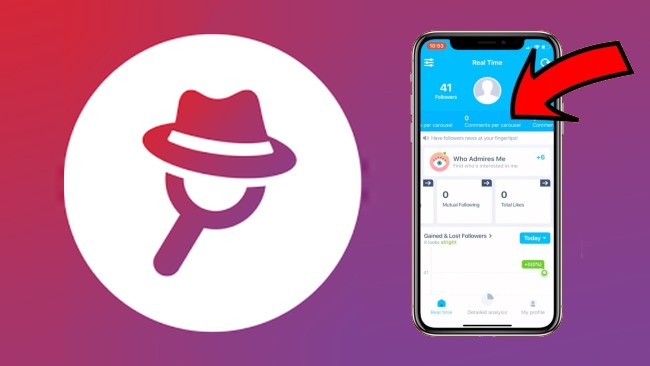
- Subscription baitThey show blurred silhouettes of supposed visitors and charge a weekly subscription to "reveal" them. After payment, the same followers always appear.
That's why these apps are frequently removed from app stores and then reappear shortly after with a different name and icon. The business model relies on turnover, not reputation.
The real risks of installing these apps.
The downside is rarely just disappointment. Those who install this type of app usually face at least one of these problems:
- Password theftMost require you to log in with your social media account within a simulated screen. There, the username and password are sent directly to the server of the app's creator.
- Account lostUsing the credentials, the attacker changes the registered email and phone number. Recovery takes days and is not always successful.
- Using your profile in scams: hijacked accounts become a showcase for fake raffles and requests for money from their own friends.
- Recurring billingLow-cost weekly subscriptions that are difficult to spot on your bill and designed to renew for months.
- Excessive permissions: requests for access to contacts, files, notifications, and accessibility features, which allow for reading far more than the app would need.
- Blocked by the platformUsing unauthorized tools violates the terms of use and may result in your account being restricted.
I've already installed one of these. What should I do now?
If you have already provided your login information, take action today, following the order below:
- Uninstall the app from your phone.
- Change the password for both your social media account and the email account linked to it. Use different passwords for each.
- Activate the two-step authentication, preferably through an authenticator app.
- In your account settings, review connected devices and close the sessions that you don't recognize.
- Review the list of apps and websites that have access to your account and remove anything you don't use.
- If you have a subscription, cancel it in "Subscriptions" on Google Play or the App Store and request a refund through the store itself.
What each social network really shows
The good news is that there are some pretty useful official metrics—they're just not the snoopers' list. See what you can track on each platform, without installing anything.
By converting your profile to a professional account (free, in Settings), you unlock the... InsightsAccounts reached, accounts with engagement, followers gained and lost, performance per post, and time slots when your audience is active. In Stories, you see the... full list of spectators for up to 48 hours after the end of the screening, in addition to replies and shares.
What doesn't exist: profile visits per person. It's also not true that the order of names in the Stories viewer list indicates who watches you most often—this myth has circulated for years and has never been confirmed by the platform. If you want to better understand how views work, see our guide on [topic]. How to view Instagram Stories anonymously..
Facebook has never offered a list of profile visitors, and its own help center explicitly states this. What exists is data from... pages (reach, page views, interactions) and the "seen by" indicator in publications of groups And in Messenger, it shows who viewed that specific message—not your profile.
Here's the exception: LinkedIn officially has the section “"Who viewed your profile?"”. In the free version, you see some recent visitors and a summary by job title and company; with the Premium subscription, you get the complete list from the last 90 days. And there's reciprocity: those who browse on anonymous mode It is not identified, but it also stops showing who visited its profile.
TikTok
TikTok offers profile view history, However, it's reciprocal and optional: it only works if both people have enabled the feature in their privacy settings, and it only shows the last 30 days. If you turn it off, you stop seeing and being seen.
There is no list of who has viewed your profile picture. What exists is a record of who has seen yours. status, Available for 24 hours — and only if you haven't disabled read receipts.
Five myths circulating about profile visitors
Much of the confusion stems from beliefs repeated in short videos and messaging groups. It's worth debunking the most common ones:
- “"The first person on the list of viewers is the one who looks at me the most."” The order varies according to the platform's internal criteria and changes throughout the day; it is not a ranking of interests.
- “"Whoever appears first in the tagging suggestions visited me."” These suggestions take into account previous interactions and mutual contacts, not visits.
- “"There is a developer mode code that reveals the visitors."” It doesn't exist. These tutorials usually end on a website that asks you to log in.
- “"A professional account shows who visited."” It shows reach, engagement, and aggregated audience data — never visitor names.
- “"If the app charges, it's because it works."” The charging system is precisely the business model of the false promise; paying does not create data that the social network does not collect.
How to identify a deceptive app before installing.
Being on Google Play or the App Store helps, but it's not a guarantee. Before installing any app related to your social networks, do this quick check:
- Read the 1- and 2-star reviews. That's where reports of improper charges and hacked accounts surface.
- See who the developer is. A generic name, no website, and no other consistent applications is a bad sign.
- Check out the data security section. On the store's page: it lists what is collected and shared.
- Never type your social media password inside another app. Legitimate integrations use the platform's own official login screen.
- Avoid impossible promises.See who visited your profile, view private profiles, find out who unfollowed you in real time, and read deleted messages from others.
- Install only from official stores. Installation files downloaded from random websites are the main route for malicious programs on Android.
What to do with curiosity (in a healthy way)
If the motivation behind the search is to understand the reach of your content, Insights solves this better than any visitor list: they show what worked, with whom, and at what time. For content creators, this is the data that changes decisions.
If the motivation is to find out if a specific person is following you, it's worth taking a step back. This type of surveillance often fuels anxiety without providing any useful answers — and, when the concern is with a particular person, the right tools are different: restricting, muting, blocking, or closing the account to approved followers.
If the goal is professional, LinkedIn is the network designed for that: there, being seen by recruiters is part of the game, and information is offered transparently to both sides.
Common questions
Algum aplicativo mostra quem visitou meu Instagram?
No. The platform doesn't provide that data, so no app can obtain it. Those that promise to do so display followers or recent interactions with a different label.
E quem vê meus Stories?
This list exists and is official: it appears when you swipe up on your own Story, and it remains available for up to 48 hours after it goes live.
Se o app está na loja oficial, é seguro?
Being in the store reduces the risk of malicious programs, but it doesn't guarantee that the promise will be true. Apps of this type are frequently removed and return under a different name.
Existe alguma rede que mostra visitantes de verdade?
Yes: LinkedIn, with its "Who viewed your profile" section, and TikTok, with its reciprocal view history. In both cases, the feature is from the platform itself and can be disabled.
Como saber quem deixou de me seguir?
There is also no official feature on Instagram. Apps that offer this service request account access and often cause temporary blocks due to automated activity.
Conclusion
Discovering who visited your Instagram or Facebook profile isn't possible—and any app that promises this is, at best, selling a fabricated list. The cost of believing the promise ranges from a useless subscription to losing your account to a hacker.
Instead, use what's official: activate Insights on Instagram, track the viewer list for your Stories, check "Who viewed your profile" on LinkedIn, and, on TikTok, the reciprocal view history. This is real data, mostly free, and doesn't require your password.
And above all, keep your password unique and enable two-step authentication. It's the most effective protection in everyday use—far more so than any visitor list.



