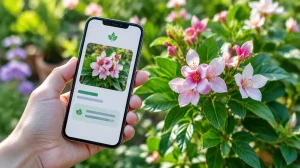
Keeping a plant alive indoors is less about talent and more about routine. Most Monstera deliciosa, pothos, and succulents that die in apartments don't die from neglect: they die from inconvenient watering, pots without drainage, or corners that are too dark. That's exactly where the... apps for plant care They don't replace your eye, but they organize the schedule, keep a record of each pot, and let you know when it's time to water, fertilize, or relocate.
Before installing any of them, one distinction is important: these apps They calculate an estimate. Based on the species you specified, the size of the pot, and the ambient light. None of them insert a sensor into the soil of your pot. The decision of whether to water today or tomorrow remains yours, with your finger in the substrate. The app is the scheduler; you are the gardener.
What a care app does — and what it doesn't do.
The functionality is similar in all of them. You register the plant (typing its name or photographing it so the app suggests the species), specify the type of pot it's in, and its location in the house. With this information, the app creates a schedule: watering every few days, fertilizing at the beginning of spring, and changing the substrate at the interval recommended for that species. After that, it starts sending notifications.
It calculates a range, it doesn't measure the land.
An app might tell you to “water your pothos every seven days” because that’s the average for the species in a medium-sized pot with indirect light. Your home isn’t average. An apartment with the air conditioning on dries the substrate faster; a humid bathroom retains water for weeks; a plastic pot retains more water than a clay one. Use the warning as a reminder to check, not as an order to water. The two-second test remains unbeatable: stick your finger about three centimeters into the substrate—if it comes out damp, wait.
The light meter uses the camera and provides an approximate reading.
Several apps include a light meter that uses the phone's camera to estimate how many lux reach that corner of the room. The reading is approximate and varies depending on the time of day, the cleanliness of the window glass, and even if the phone case is covering part of the lens. Still, it serves its purpose: comparing two corners of the house and finding out which one is brighter. Measure at noon on a rain-free day, and repeat at the same time.
Three pieces of information that change the outcome.
Before accepting the calendar proposed by the app, check these points. They explain most of the plants that "died for no reason".
- The right species. Pothos and philodendrons look similar but require different care. If you registered the wrong plant, the entire schedule will be incorrect—and that's where it's worth carefully checking the identification, the topic of our guide. applications to identify plants.
- Does the vase have a hole? A decorative pot without drainage accumulates water at the bottom, causing root rot underneath, with no sign of it appearing on top until it's too late. No app can fix this; simply replacing the pot will solve the problem.
- The position relative to the window. “"Bright indirect light" means near a bright window, without direct sunlight hitting the leaf. Two meters into the room is already shade for many species.
The best apps for plant care
All of the apps listed below are available on Google Play and work in Brazil. Most operate on a free model with an optional paid plan: the basic calendar is usually included, while features like photo-based diagnosis or an unlimited number of plants are available with a subscription.
Plant
This is the most comprehensive option on the list for those who care for indoor plants. The registration process asks about the plant species, pot type, substrate, and distance from the window before creating a schedule—this level of detail is what differentiates a useful calendar from a generic one. It includes photo identification, a light meter, and separate reminders for watering, fertilizing, pruning, and repotting. The free version covers the essential calendar features; the light meter and diagnostics are available in the paid plan.
PlantIn
Combines plant identification and care in the same app, with a plant diary where you can attach photos of its progress. It has an image-based diagnostic section for yellow leaves, spots, and pests, and offers in-app consultations with a specialist. The free version displays ads.
Blossom
The easiest to use of the first three. It identifies the plant by photo, creates a watering schedule, and sends notifications without requiring much registration. A good choice for those who have five or six pots and just want to remember to water them.
Greg
Focus on adjusting watering based on environment: instead of a fixed interval per species, it attempts to calculate watering considering the light you specify and the climate of your region. The interface is in English, but straightforward enough for those who don't speak the language. Good for those who have many plants and want a daily task queue.
Gardenize
Here the focus shifts: it's a garden diary. Instead of telling you to follow a set schedule, it keeps track of what you did, when you did it, and the results, plant by plant and flowerbed by flowerbed, with attached photos. Anyone who tends to a backyard, vegetable garden, or outdoor garden gets more benefit from it than from a notification app.
MyGarden
Same idea as the previous one, but more concise: plant logs, reminders, photos, and task history. Works well as a digital notebook for those who already know what to do and just want to write it down.
PictureThis
Known for its identification tools, it also provides care guides and self-diagnosis of diseases based on a photo of the leaf. It's one of the most subscription-oriented apps, so check what's included in the free version before committing to a feature.
Plantix
This one isn't for a living room vase: it was made for farming. It diagnoses diseases and pests in agricultural crops and recommends management practices, with material geared towards rural producers. If you plant on a large scale, it's the most suitable on the list; for a fern on the balcony, it's too big.
How to create a routine in ten minutes
- Photograph each plant and confirm the species before registering. Wrong name, wrong calendar.
- Register the plant pot as described: approximate size and whether it has a drainage hole.
- Measure the light in the corners where the plants are located, always at the same time, and record the result in the app.
- Accept the suggested schedule, but treat each warning as "go check it out," not as "water it now.".
- Photograph the plant once a month from the same angle. The historical record shows slow-moving problems that the everyday eye doesn't notice — here's one. app to improve photo quality It helps to standardize lighting and framing.
- Check the calendar at the change of seasons. Plants drink less water in winter.
Why the app makes mistakes with watering (and how to fix it)
The most common error isn't in the algorithm: it's in the input data. Those who register a vase larger than it actually is receive excessively long intervals; those who describe the room as "very bright" when the window faces south receive the opposite. Two signs to adjust without much thought:
- Wilted leaf with moist substrate It indicates excess water, not a lack of water. Increase the interval between applications and check the drainage.
- Dry, brown leaf tip It's usually dry air or substrate that has been scorched for too long. Reduce the interval between applications and move it away from air conditioning.
The weight of the pot also indicates the state of the soil. Lift the pot right after watering and memorize the feeling; when it becomes visibly light, the water has run out.
Photo-based diagnosis: how much can you trust it?
The diagnostic function compares your photo with a database of images of diseased leaves and returns the most likely hypothesis. It is frequently correct in identifying classic problems — mealybugs, mites, circular spot fungus — but it falters when the symptom is generic, because a yellow leaf could be due to overwatering, nutrient deficiency, root compression, or simply age.
Two limits that are worth following strictly:
- Never decide based on an app whether a plant is safe to eat., Do not turn into tea or leave within reach of children and animals. Edible species have toxic look-alikes, and the photo does not distinguish all of them. In case of suspected ingestion, seek medical attention immediately.
- Before applying pesticide, Confirm the diagnosis with someone who understands – an agronomist, your city's agricultural supply store, or your state's rural extension service. The wrong product kills the plant faster than the pest.
Is it worth subscribing to the paid plan?
This is useful when you have many plants and use the app every week. Plans usually unlock unlimited plants, photo-based diagnosis, a light meter, and more detailed guides. If you only need to remember to water four pots, the free version will do—and the phone's built-in reminder will also work.
One practical detail before subscribing: check if the charge is monthly or annual and if there is a free trial with automatic renewal. Canceling an app subscription is done in the app store, in the payments and subscriptions section of your account, not within the app itself.
Common questions
Does the app warn me if my plant is sick before symptoms appear?
No. He only analyzes what appears in the photo. Prevention continues to be about adequate light, drainage, and proper watering.
Do I need internet to use it?
Reminders work offline because they are saved on your phone. Photo identification and diagnosis require an internet connection because the processing takes place on the app's server.
Is it possible to register a vegetable garden and not just indoor plants?
Yes, and for vegetable gardens, diary apps — Gardenize and MyGarden — work best because they organize by garden bed and keep a history of planting and harvesting.
Are these apps suitable for hiking and forests?
To care for them, no: they presuppose you have a plant, in a pot or flowerbed. To recognize what you found along the way, the path is an identification app — and a GPS that works without using internet data. It helps to avoid getting lost on the way back.
In summary
A plant care app solves the memory problem, not the gardening problem. It saves the species, the date of the last watering, and the history of each pot, and nudges you on the right day. The rest—looking at the leaf, touching the substrate, moving the plant when it stretches behind the light—remains analog. Start by registering just one plant, track it for a month, and then bring the rest into the app.