Technology has undoubtedly transformed many spheres of our lives. One of the most impacted sectors was music. Thus, musicians, music students and enthusiasts found on digital platforms a universe of possibilities to expand their skills and knowledge. This naturally includes the ability to have the best cipher applications always at hand, wherever they are.
Previously, you had to dig through books or individual sheets of music to find the right chords. Today, however, transcribing figures has become easier and more accessible. Just one tap on your smartphone and a multitude of figures are available in the palm of your hand. But, with so many applications available, which one is best?
Essential chord apps for your music
Now that we are in the digital age, transcribing music chords has become a much more practical task. So, here are five of the best apps to always have chords for your music at hand.
1. Ultimate Guitar: Chords & Tabs
Ultimate Guitar is, without a doubt, one of the most popular apps when it comes to music chords. It offers a huge database, containing more than 1.2 million guitar, bass and ukulele chords. Additionally, this app allows you to transcribe your own ciphers and share them with other users.
This tool, available for iOS and Android, also has an autoplay feature. This means you can listen to the music while following the transcription of the chords, making it easier to learn new songs.
2. Songsterr Guitar Tabs & Chords
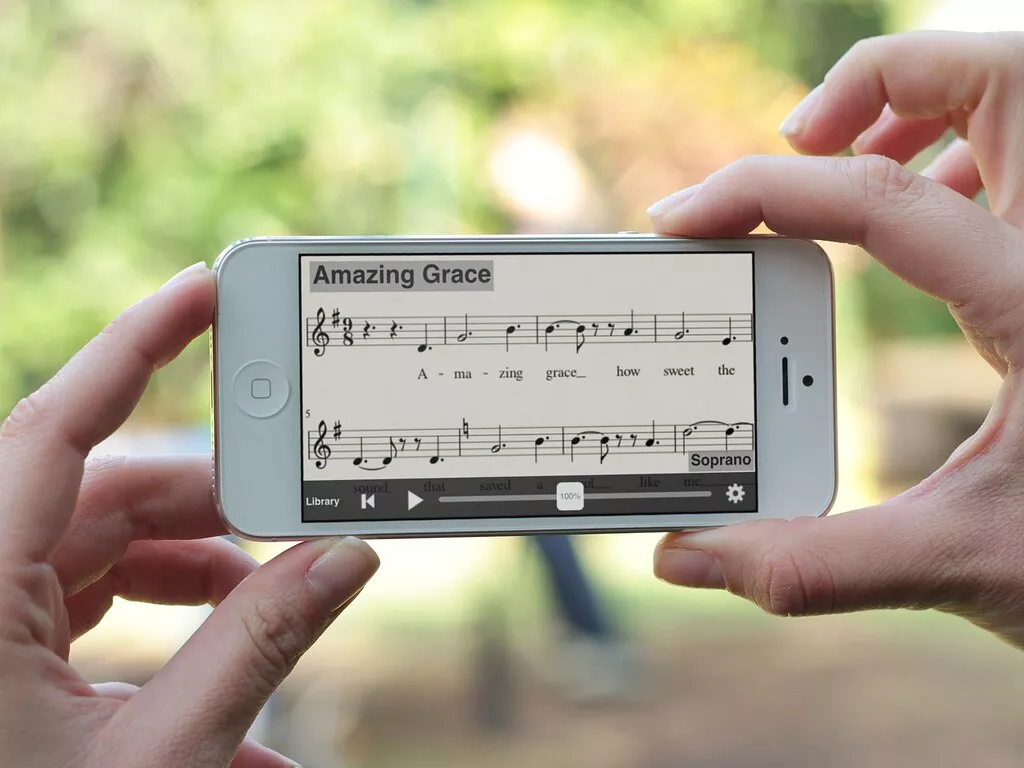
Songsterr is another excellent option for always having chords on hand. This app has an impressive collection of more than 500,000 guitar, bass and drum chords. In addition, it also offers real-time playback functionality, with the ability to slow down the music to facilitate learning.
In addition to transcribing the chords, Songsterr provides the song's sheet music, allowing the user to have a deeper understanding of the song. The app is available for iOS and Android devices.
3. Chordify
The Chordify app stands out for its ability to transcribe chords for any song in real time. Just enter the URL of a YouTube video, and it automatically generates the corresponding code.
Furthermore, Chordify has a user-friendly and intuitive interface that makes navigation easy. And not only does it provide transcription of the chords, but it also allows you to play along with the music, providing an immersive learning experience. This app is available for Android and iOS.
4. GuitarTapp PRO
GuitarTapp PRO, available for Android and iOS, is another application that allows users to access a vast library of chords. It stands out for its advanced search system, which allows you to quickly find the chord of any song.
The transcription of the figures is precise and clear, making it easy to read. Furthermore, this application allows you to edit existing chords and even transcribe your own songs.
5. Yousician
Yousician is a music learning app that goes beyond simply transcribing chords. It offers an interactive learning approach that helps you improve your musical skills. With a vast library of chords and lessons, Yousician is an excellent tool for any music lover.
Available for iOS and Android, this app allows you to follow the chords as you play the song, giving you real-time feedback on your performance.
Conclusion
In short, these applications represent a revolution in the way we access and use music chords. Not only do they make it easy to transcribe chords, they also offer a variety of features that make learning music more interactive and engaging. So, if you're looking for a practical way to always have ciphers at hand, these apps are a great starting point.
Criteria that make a difference in the choice
- Audio quality available. The bit rate varies by plan. On standard headphones the difference is subtle; on better equipment, it's noticeable.
- Data usage. Streaming in high quality consumes a lot of data. Adjusting the quality on your phone will prevent surprises when it reaches your data limit.
- Family or individual plan. Family plans typically start with two people and require a shared address for most services.
- It works on your device. Watches, cars, and speakers don't always have the app. It's worth checking beforehand if the service integrates with what you use.
What these apps don't do
It's important to know what's beyond the reach of this category—that's what avoids frustration and, most importantly, prevents falling for those who promise the impossible.
- Tracks are removed from the catalog when the license expires, including tracks from pre-made playlists.
- An app that offers paid content for free is piracy and often comes with intrusive advertising or malware.
- Losing your subscription means losing access to what you downloaded — it's not a purchase, it's a usage license.
- Lyrics and credits depend on what the record label sent and are sometimes incomplete.
Common questions
Can I transfer my playlists?
There are services that migrate playlists between platforms. The transfer usually works well, with occasional losses of unavailable tracks.
Can I listen for free?
It's possible, with advertising and some limitations, such as random order and a restricted number of jumps.
Is the family plan worth it?
It usually applies to groups of two or more people. Most require that members have the same registered address.
Can I listen without internet?
Only by downloading it within the app, which generally requires an active subscription.
Does the quality change significantly between plans?
With regular headphones, the difference is minimal. With better equipment or a good speaker system, the difference becomes noticeable.
What to do, in order.
- Migrate your playlists when switching services. There are tools for transferring data between platforms; the loss is usually only due to unavailable tracks.
- Download playlists via Wi-Fi. Get it ready before you leave. The download is within the app and depends on an active subscription.
- Let the app learn. Liking and skipping are key to the recommendation. Two weeks of use significantly changes what appears.
- Set up the equalizer once. Adjust according to the headphones you use — it's the cheapest way to improve sound quality.
Where most people slip
- Listen in high quality using mobile data and exceed your data allowance.
- Signing up for the family plan without checking the requirement for a shared address.
- Cancel your subscription and lose access to all downloaded data.
- Installing an app that offers a paid catalog for free is piracy and usually comes with intrusive advertising.
Before installing: what's already on the device
YouTube functions as a huge free catalog for discovering music, and streaming radio continues to exist within various free apps. For offline listening without a subscription, your own files still play in the system's native player.
Reading a cipher: what the symbols really say
A cipher is a concise notation, and much of the initial difficulty comes from not knowing how to decipher the additions next to the letter. The standard is international and always the same:
- Letter alone (C, G, D): major chord.
- Letter starting with "m"“ (Am, Em): minor chord. In English chord symbols, it appears as "min" or just a dash.
- Number 7 (G7, A7): seventh, often used to prepare the change to the next chord.
- M7 or maj7: major seventh, softer sound, common in bossa nova.
- sus4It replaces Tuesday with Wednesday, creating that feeling of suspense that demands resolution.
- add9, 9, 11, 13: added notes that provide color without changing the function of the chord.
- Bar with another letter (D/F#): the chord is the one on the left, but the lowest note is on the right. It's called an inverted bass, and it changes the sound quite a bit.
- Sharp and flat (F#, Bb): semitone above or below.
An important cultural detail: in Brazil, both letters and syllables (do, re, mi) are used. The equivalence is C=do, D=re, E=mi, F=fa, G=sol, A=la, B=si. Internet chord charts almost always use letters.
Transposition and capo: same problem, two solutions.
The music is in a key that doesn't suit your voice, or the chords are too difficult. The two solutions are transposition and a capo, and they solve different problems.
Transport It means shifting all chords by the same interval. If you raise the pitch by a whole tone, C becomes D, F becomes G, Am becomes Bm. Virtually every chord app does this with a button, and the calculation is reliable.
The capo It's a piece that holds the strings at a specific fret, shortening the neck. Each fret raises the fret by a semitone. Placing the capo on the second fret and playing the chord shapes C, F, and G sounds like D, G, and A. The advantage is being able to continue using easy chord shapes with open strings in a higher key.
Three practical rules:
- To raise the tone while maintaining simple shapes., Use a capo.
- To lower the tone, The capo won't work — only transposition will do.
- To play accompanying someone, Beforehand, clarify whether the given key is the actual key or the "key of the shapes." This is the biggest source of confusion in guitar circles.
When using an app, pay attention to one detail: some display the sounding pitch and others the pitch of the shape when you press the capo. Checking with a tuned note avoids practicing a semitone off.
What the musical score doesn't show — and that's where the music is.
A chord chart tells you which chords to play and when to change them. It doesn't tell you most of what makes a song sound the way it does.
- The beat. The same chord progression works for samba, rock, and ballads. The rhythm is what defines the genre, and it's not written down.
- The duration of each chord. Simple musical notation places the letter above the syllable, which is a rough approximation of the time signature.
- The internal rhythm. Anticipations, syncopations, and pauses are part of the arrangement.
- The dynamics. Where it plays loudly, where it softens, where only the voice enters.
- The bottom drawings and the passages. Connections between chords that create movement.
- The chosen position on the arm. The same chord can have various forms, with different timbres.
Hence the recommendation that every teacher repeats: listen to the recording while reading the sheet music. The sheet music is a map; the recording is the territory. Many apps allow you to slow down the music without changing the key, and this feature alone teaches more rhythm than any tutorial.
Resources that make a difference on stage and in rehearsal.
Those who play in groups or perform in public use chord notation differently than those who study at home. What really matters in this scenario is:
- Automatic scrolling with adjustable speed. It allows you to play without taking your hand off the instrument. It's worth testing beforehand: poorly calibrated rollers are worse than none at all.
- Offline mode. Music venues and churches with poor internet are the rule, not the exception. Download the setlist beforehand.
- Setlists. Organizing the songs in the order of the show, with the key of each one already adjusted, saves time between songs.
- Font size and dark mode. Reading musical notation on stage in low light requires a large font and a dark background to avoid glare.
- Page pedal. There are Bluetooth foot pedals that allow you to advance the page with your foot. For those who play standing up, this is a great solution.
- Screen lock while the screen is on. The screen going black in the middle of a song is the most common and frequent problem.
- Integrated tuner, to check between songs.
Here's a golden organizational tip: keep a list of the songs you actually know how to play from beginning to end. When someone asks, you won't remember any of them.
Where do the figures come from and why are many of them wrong?
The vast majority of available sheet music was transcribed by listeners, not the composers. This explains the recurring problems:
- Different tone from the recording. The person who transcribed it used a capo and wrote down the shapes, not the sounding chords.
- Simplified chords. A chord with a seventh and ninth transcribed as a simple chord. It sounds similar, but loses its character.
- Inverted bass notes are missing. The part that gives movement to the harmony is the first to disappear in quick transcriptions.
- Conflicting versions. Five transcriptions of the same song, each different. Comparing two or three and listening to the recording is the only way to decide.
- Wrong letter. Misunderstood excerpts are repeated for years, copied from one website to another.
Regarding copyright, one point that generates doubt is that song lyrics are protected works, and their full reproduction requires authorization. Therefore, the larger music streaming platforms establish licensing agreements with publishers and share a portion of the revenue—which also explains why some songs are simply unavailable and why certain features require a subscription. The harmony itself, expressed as a sequence of chords, is treated differently from the lyrics, but a detailed transcribed arrangement enters more delicate territory.
For personal use and study, none of this is a problem. However, for printing and distributing course materials, selling songbooks, or projecting lyrics at public events, it's advisable to check the licensing status beforehand.