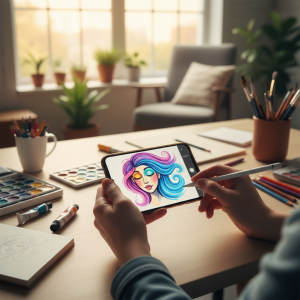
Creating videos from photos and music stored in your phone's storage is simple with the help of free apps for Android and iPhone (iOS). Software such as GoPro's VideoShow, InShot, and Quik provide the necessary tools, including text, music, and effects, which allow you to add text, music, and effects to images.
The equipment is useful for creating romantic videos, presentations and tributes to friends that can be shared on social networks such as Instagram, Facebook and WhatsApp.
We have separated the five editors that are available on the App Store and Play Store to facilitate the creation of videos that display a preview of the final result so that the user can modify the clip as they wish. Consider the following list and learn about the most effective mobile apps.
Video show
One of the most popular apps in its category, VideoShow is a simple-to-use video editor that creates slideshows with ease. You can rearrange the images in any order you like. Additionally, you can also change the file display speed. The service allows unlimited use of photos and allows the production of longer, more detailed videos.
The editing tool has several effects that can be used to personalize videos, including frames, transitions, texts with different colors and fonts, stickers, GIFs, as well as pre-defined themes. Possible sound effects include complete songs that were exported from the user's gallery or music service, such as Apple Music, as well as dubbing and other types of sounds.
One of the disadvantages of the service is the presence of a watermark integrated into the app's logo, located in the bottom left corner of videos created in the free version. To remove it, you need to subscribe to the full version, which costs R$ 84.90.
VivaVideo
VivaVideo allows users to create videos with photos and videos from their phone storage, as well as export content from Facebook and Instagram. The user can select predetermined themes such as “Birthday”, “Love”, “Friendship” and “Summer” and add specific visual and musical effects according to the method. However, you can create a video from scratch and add your own effects to make it even more unique.
During the production process, it is possible to change the length of the video, add filters, crop images and incorporate transition effects between photos. The application has a catalog of songs that can be used as a soundtrack, but the user can also download other music from the internet or use music from their cell phone storage or iTunes.
At the end, the user will have the possibility to save the video in various formats, including Full HD. Clips are also marked with the app's logo and a watermark. To collect it, you need to pay for the VIP plan, which costs R$ 40.99.
PhotoGrid
Additionally, PhotoGrid also creates videos from photos in your phone's gallery. The editor is aesthetically pleasing, which makes editing slideshows easy. During the image editing process, it is possible to change luminosity properties, such as brightness, contrast and saturation, apply colorful effects and filters, as well as animated transitions and patterned frames.
The music section allows you to add international music as the soundtrack for the video. The service catalog is extensive and divided into several categories, including “Pop”, “Instrumental”, “Electronic” and “Rock”. Additionally, users can upload music stored in the phone's memory or Google Drive, a backup software from Google. Unlike competitors, PhotoGrid does not display its logo on videos, this leaves the video image without advertising.
InShot
InShot lets you create short videos from photos and videos stored on your phone's internal storage. If the image is smaller than the video format, the app will create an inconspicuous gradient background, but you can determine the size to suit social media platforms. During the editing process, you can add mirror filters, neon effects or lines of text. It is also possible to add text and animated images to increase the personalization of the audiovisual file.
The app allows you to add sound effects, audio recordings captured by the microphone and songs, which can be downloaded from the app's library, stored on the device or from iTunes, in the case of the iPhone. The service also produces watermark-free videos for free, which is beneficial for users who prefer videos without visual interference.

Quick
Quick is GoPro's video editor, but you don't need to have a company camera to use it. The program makes it easy to create short videos that incorporate photos stored in your cell phone's memory. After selecting the files, the user can choose pre-programmed themes to create their slideshows, each with a different style of transition between photos, all with a contemporary aesthetic, reminiscent of animated collages.
Each theme has a specific soundtrack, however, the user can change it by selecting between the different tracks in the application's library. The service also allows you to change the opening text of videos, apply color filters and decide how long each image is displayed on the screen. At the end of the edits, interested parties can save the file on their cell phone or share directly on social networks. The video ends with your logo displayed at the end.
Criteria that make a difference in the choice
- How many screens at the same time?. Cheaper plans often limit you to one screen and standard quality. If the household is watching simultaneously, this is the most significant factor.
- Download to watch offline. Not all services allow it, and those that do usually restrict it by title and file validity period.
- Image quality included. Full HD and 4K are usually included in higher-end plans. Signing up for the basic plan expecting 4K is the most common source of frustration.
- Compatibility with your TV. Apps often become outdated on older TVs. Before subscribing, confirm that the app exists and is still receiving updates for your model.
What these apps don't do
It's important to know what's beyond the reach of this category—that's what avoids frustration and, most importantly, prevents falling for those who promise the impossible.
- They don't replace a subscription. Some function as a search engine and only indicate where the title is available.
- The catalog changes every month because licenses expire. A title available today may be removed without notice.
- Live content, especially sports, is almost never included in free plans.
- Subtitles and dubbing in Portuguese vary by title and are not always included with the release.
Common questions
Is it worth subscribing to more than one service?
It depends on what you watch. Since there's no commitment, many people switch: they subscribe for a month, finish the series, and then change.
Does it work on smart TVs?
It depends on the model and age of the device. One alternative is to stream from your phone via Chromecast or use an external streaming device.
How much data does streaming consume?
Quite a lot. At high quality, an hour of video can exceed 1 GB — use Wi-Fi or limit the quality in the app settings.
Are these apps really free?
The free ones are funded by advertising and have a smaller catalog. Those that require a subscription usually only offer a free trial period.
Can I watch it on more than one screen?
It depends on the plan. The cheapest ones usually only allow one screen at a time.