
Technology has advanced by leaps and bounds and smartphones are one of the greatest evidences of this progress. But despite all its features, many users still encounter problems with the volume of their devices. Fortunately, there are already applications designed specifically to increase cell phone volume.
However, it is essential to remember that increasing the volume on your device too much can damage the internal sound system. Therefore, whenever possible, use these applications responsibly, seeking a balance between louder sound and the health of your device.
Maximizing Your Smartphone's Sound Potential
Next, we will look at a list of five apps that can help increase the volume on your cell phone. They all have unique and special features, created to improve your sound experience.
Volume Booster GOODEV
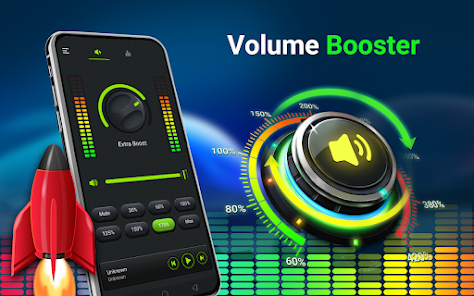
GOODEV Volume Booster is a simple tool that allows you to increase your device's volume beyond normal limits. However, it is important to note that prolonged use of this app may damage your speakers or headphones.
Furthermore, the application is very easy to use. With just one slider you can increase or decrease the sound volume. Simplicity is one of the strengths of GOODEV Volume Booster, which allows anyone to improve the sound quality of their device.
Precise Volume
Precise Volume, as its name suggests, offers precise control over the volume of your cell phone. It overcomes the limited number of volume levels found on most devices by offering 100 different volume levels for you to adjust.
The app also includes a 5-band equalizer, allowing you to adjust your device's sound however you prefer. And if you want to go even further, the Pro version of Precise Volume unlocks even more features, making it a robust option for controlling your phone's volume.
Speaker Boost
Speaker Boost is an application that promises to increase the sound volume on your device without compromising quality. It is designed to work with speakers and headphones, allowing a significant increase in volume without damaging the hardware.
Another big advantage of Speaker Boost is its user-friendly interface. Adjusting the volume is as simple as moving a slider, making the app easy to use for anyone.
Equalizer & Bass Booster
Equalizer & Bass Booster is more than just a volume booster app. It also allows you to adjust your device's sound to suit your musical preferences, with a 5-band equalizer and a variety of presets to choose from.
This application is ideal for music lovers who want more than just turning up the volume. Equalizer & Bass Booster offers a complete solution to all your sound problems.
Volume Control+
Volume Control+ is a fully customizable volume control app. It allows you to configure the volume for different applications and functions on your cell phone. So, you can set one volume for your alarm clock and another for your calls, for example.
The app also allows you to create volume profiles, so you can easily change volume settings based on your environment. With Volume Control+, you get full control over the sound on your device.
Conclusion
Therefore, if you are dissatisfied with the volume on your smartphone, these apps could be the solution you were looking for. Always remember to use them responsibly to avoid any damage to your device. Now that you have the necessary tools, enjoy more powerful sound volume and a better sound experience on your cell phone!
How to choose between the options
- Permissions that the application requests. It's the quickest test of reliability. A flashlight app that asks for contacts and location doesn't need that to work.
- Does the system already do that?. Android and iOS both come with built-in flashlight, recorder, document scanner, meter, and QR code reader. It's worth checking before installing yet another app.
- Billing model. Check if it's free with ads, a one-time payment, or a subscription. Subscriptions for simple tasks rarely make sense.
- Update frequency. An app that hasn't been updated in over a year is likely to break with the next system version.
What these apps don't do
This is the part that almost no list mentions, and it's precisely what separates expectation from result.
- Features that rely on missing hardware won't work via software. Without the sensor, no application can solve the problem.
- No app actually increases battery capacity — what you can do is reduce consumption by turning off features.
- Cleaning apps don't permanently speed up your device: Android already manages memory on its own.
- They are not a substitute for professional equipment. Cell phone sensors are for estimation, not for technically precise measurements.
Common questions
Does a cleaning app improve performance?
A little and for a short time. The real gain comes from uninstalling what you don't use and freeing up storage space.
Doesn't the cell phone already do that automatically?
It often does. Flashlight, recorder, document scanning, ruler, and QR code reader are native features in recent versions.
Are these apps safe?
Check the permissions and the number of reviews. Any utility that requests access to contacts, messages, or accessibility without a clear reason should be avoided.
Does it work without internet?
Those that process locally, yes. Those that rely on a server require a connection and send their data externally.
Does it consume a lot of battery?
It depends on what's running in the background. Check the usage per app in the settings and restrict anything that's excessive.
How to use it in practice
- Review your consumption after one week. In the settings, view battery and data usage by app and restrict any that are high.
- Check if it works offline. If the task is local but still requires a connection, your data is being sent to a server.
- Adjust the notifications on the first day. Leaving everything plugged in is the most common reason for uninstallation in the first week.
- Try the free version before you pay. Check if the feature you want is outside the free plan—it usually is.
What goes wrong most often?
- Installing multiple applications that do the same thing, all running in the background.
- Choosing based on average rating without reading recent negative reviews.
- Granting access to contacts, messages, or accessibility without a clear reason.
- Believing in a feature that the device's hardware does not support.
The alternative that is already included in the system
It's worth opening the search in your phone's settings before installing: Android and iPhone already have several built-in functions, and the native app usually consumes less battery and doesn't ask for any permissions beyond what's necessary.
Why does a limit exist, and what happens when it is exceeded?
The cell phone speaker is a tiny component moving a small amount of air. There is a physical volume limit, and the device's amplifier is designed not to exceed it.
When an application pushes the signal beyond this point, what is called clipping occurs: the sound waves have their peaks cut off because the system cannot reproduce them. The audible result is distortion—that hissing, harsh sound with muffled voices. It's not about increased volume, it's about worse sound. And the excess energy generates heat in the coil, which can permanently damage the speaker.
Therefore, an honest comparison is necessary: volume booster apps don't create power that the hardware doesn't have. What they do is manipulate the signal before it reaches the speaker, and there are three legitimate techniques:
- Equalization. Reducing bass frequencies, which consume a lot of energy and are barely reproduced by a small speaker, and enhancing the mid-range—where the human voice resides—makes the sound more intelligible, which most people perceive as "louder.".
- Dynamic range compression. To reduce the difference between the low and high parts of the audio. The average rises without the peak becoming too high. This is the technique used in radio and television.
- Normalization. To equalize the volume level between different files, resolving the issue where one video plays much quieter than another.
Pure gain, which simply multiplies the signal, is what causes distortion. If the application offers a control that goes to 200% without any processing, that's what it's doing.
Before the app: the physical causes of low volume
Many people install an amplifier to solve a mechanical problem. It's worth checking first:
- Dirt on the speaker's protective screen. Dust and lint accumulate in fabrics and cause considerable stuffiness. Careful cleaning with a soft, dry brush usually restores a lot of volume. Avoid using sharp objects or high-pressure compressed air.
- A cover or film over the output. Thick, poorly cut covers muffle the sound and distort its direction.
- A hand blocking the exit. In many models, the speaker is located at the base or on the side, exactly where the hand rests in landscape mode.
- Water in the speaker. Water-resistant devices remain sealed until the liquid evaporates. Some have a sound-based expulsion mechanism.
- Volume per application. Android and iPhone maintain separate levels for media, calls, alarms, and ringtones. Adjusting the volume during a call does not change the volume of videos.
- Active volume limiter. There are hearing safety settings that may be turned on without you knowing.
- Bluetooth with two controllers. In many cases, the cell phone and the speaker have independent levels, and one of them is at the minimum.
Solving any of these issues usually yields more real-world volume than any application.
Hearing loss is a real and cumulative risk.
This is the point that the entire category avoids mentioning. Noise-induced hearing loss is permanent: the hair cells in the inner ear do not regenerate.
The most widely cited references by health authorities:
- Safe exposure It typically ranges from 85 decibels for up to eight hours a day. For every 3 dB increase, the safe breathing time is halved.
- At 100 dB, The safe amount of time is just a few minutes per day.
- The most frequently cited rule of thumb It's the 60/60 rule: a maximum of 60% of volume, for a maximum of 60 minutes at a time, with pauses.
- A cell phone at maximum volume with headphones It can exceed 100 dB, depending on the headphones.
Warning signs that require immediate reduction: ringing in the ears after listening to music, a feeling of muffled hearing, difficulty understanding conversation in noisy environments, and the need to gradually increase the volume.
It's worth knowing the device's own features: both Android and iPhone have hearing safety settings that measure sound exposure over time and allow you to limit the maximum volume. Many devices sold worldwide also have an automatic warning when a certain level is exceeded, as required by safety regulations. Apps that remove this limit are disabling a protection that exists for a reason.
How to really gain muscle mass
If the need is real—listening in the kitchen, at a family gathering, outdoors—the solutions that work are physical:
- Bluetooth speaker. It solves the whole problem. Larger speakers move more air, and even simple models deliver much more volume and bass than any cell phone.
- Resonant surface. Placing your phone on a bowl, a glass, or a cardboard box passively amplifies the sound. It's an old trick, and it works.
- Direct the sound. Pointing the speaker at a nearby wall, or placing the cell phone in a corner, focuses the reflection instead of spreading it.
- Wired headphones with good sensitivity. For individual use, it delivers much more sound with less effort from the amplifier.
- Reduce ambient noise. Turning off the fan or range hood improves intelligibility much more than turning up the volume.
- System equalizer. Many devices come with a built-in equalizer. Reducing bass and boosting mids improves clarity without risk.
Precautions when installing amplifiers
This app category has a poor track record in app stores, and it's worth knowing what to check:
- Consistent permissions. An amplifier needs access to audio. It doesn't need contacts, SMS, calls, a camera, or precise location.
- Accessibility as permission. Some request access to Android accessibility services, which grants broad control over the screen. It's a powerful permission and rarely justified in this context.
- Excessive advertising. A full-screen ad that appears on every tap indicates that the app is designed solely for monetization.
- Installation outside of the official store. Individual files promising "unlimited volume" are a common vector for malware.
- Recurring subscription through a function that the system's equalizer already performs.
In summary: first test the speaker's clarity, the separate volume levels, and the built-in equalizer. If the volume is still lacking, the problem is hardware-related—and so is the solution.



