Wallpapers are wallpapers that we use on our cell phones. They have become very famous in recent years and more and more people want to have a collection of them. But the doubt is as download wallpapers For your cell phone?
To help you understand more about how to download wallpapers to your cell phone, we prepared today's article on the subject. Want to know more? So follow along now!
How to download wallpapers to your cell phone?
Below are some apps you can use to download wallpapers to your phone in a simple and easy way. A word of warning before the list: Availability varies depending on the device.. Most of the apps mentioned were made for Android, and not all have an iPhone version — Zedge is the best known of those available in both stores. iOS users can download the image via their browser or a compatible app and apply it using the Photos app, as explained at the end of the article.
Tapet Wallpapers
The main advantage of Tapet is that it generates wallpapers for your phone, so you have a unique wallpaper at all times. Furthermore, the application allows you to customize these backgrounds, changing the colors, for example.
Tapet can be downloaded for free on Android phone. The app has in-app purchases with which you can unlock additional customization options for these backgrounds.
Walli
One of the best rated and highest quality wallpaper apps. Thanks to the work of artists from all over the world, we can have authentic collector's pieces on our cell phones – and for free.
Also, you have an option through which you can assign wallpapers rotation automatically. A perfect way to make your phone change (and have a surprise background) every now and then.
Backdrops
One of the best-known wallpaper apps among Android users, as it has been available on the Play Store for a long time. It's a very balanced app, with a large selection of backgrounds available.
It has a huge selection of backgrounds of all types, so there is always something to your taste within it. Plus, you can download them to your phone whenever you want.
Zedge
One of the most veteran proposals on the list. With Zedge you have at your disposal a huge bank of themed wallpapers that you can access through a search bar – whatever you are looking for, you will certainly end up finding it here.
But be careful, this tool offers much more: you can also download ringtones and notification sounds to personalize your cell phone even further, if possible.
Muzei
This time, it is destined to satisfy the tastes of the most art-loving user, as in this application you will be able to find famous works from history to add shine to your wallpaper.
Do you want to see Van Gogh's Starry Night every day? Well, Muzei is the app you need to turn your phone into a museum. And for free, of course.
Resplash
Repository of high-quality images, from unsplash.com, that will add a touch of distinction to your cell phone, especially if you prefer photography as wallpaper rather than an illustration. It has a section of content written by experts and categorization by themes.
Minimalist Wallpapers
If your style is minimalism or the philosophy of less is more, the wallpaper app you need in your library is certainly Minimalist Wallpapers, a collection of images in which conceptualism and the essential are its strong points.
It has more than 2500 backgrounds, organized by categories and with the possibility of saving your favorites in one place to always have them at hand. Oh! And every day new funds arrive on the application.
NoxLucky – 4K Papel de Parede
Nox Lucky Wallpaper is a fun app to improve the home and lock screen of your Android devices, which allows you to customize your screen with different filters and set TikTok and Instagram videos as wallpapers.
Through this powerful background changer for Android, you can create your favorite HD and 3D images as wallpapers for free, search and explore many categories such as Animation, Nature, Beauties, Love and Cool Stuff.
Nox Lucky Wallpaper is compatible with most Android smartphone brands, such as Samsung, Xiaomi, Huawei, etc. Features like video wallpaper depend on the model and system version, and may consume more battery on simpler devices.
Find the perfect wallpaper for your cell phone with its high definition backgrounds to make your cell phone amaze others.
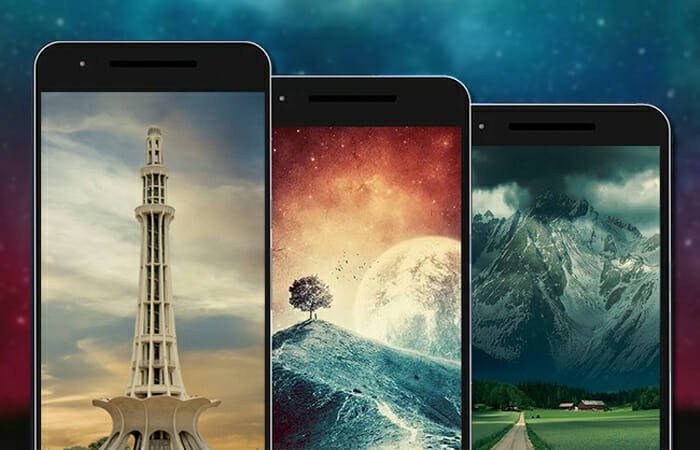
STOKIE
This is an app that gives us access to wallpapers from top Android phone brands. Thanks to it, we can access more than 3,000 different wallpapers from all types of brands, which will allow us to change the appearance of our smartphone in a simple way.
Furthermore, these backgrounds available in the application are in HD quality, to obtain the best result. If you are looking to have access to a huge amount of wallpapers, it is a good option. This app can be downloaded for free from the Play Store, with no purchases or ads within it.
How to apply wallpaper on Android and iPhone
On Android: After downloading the image, most apps have a "Set as wallpaper" button and let you choose between home screen, lock screen, or both. If you prefer to use a saved image, tap and hold an empty space on the home screen, choose "Wallpapers" (the name varies slightly with each brand), and select the photo from your gallery.
On iPhone: Save the image in the Photos app, open it, tap the share icon, and choose “Use as wallpaper”; you can also go to Settings, “Wallpaper,” and “Add new wallpaper.” It's worth remembering that most of the apps on this list are exclusive to Android—on iOS, the most common way is to download the image and apply it from there.
To avoid losing quality: Choose images with a resolution equal to or greater than that of your phone screen (most current models are between 1080 x 2400 and 1440 x 3200 pixels). Small photos stretched to fill the screen become blurry, and automatic cropping can leave the main subject out of frame — so it's worth adjusting the zoom before confirming.
Would you like to know more about How to download wallpapers to your cell phone? So be sure to follow the other articles on the blog, we have lots of other news for you!
How to choose between the options
- Last updated. An application that has been dormant for more than a year is likely to break in the next system version.
- Recent reviews. Read the newest release notes, not the old ones: that's where problems that arose in the latest versions appear.
- File origin. Always install from the official store. APK files from random websites are the main vector for malware on Android.
- Permissions requested during installation. Compare this to what the app actually does. Accessibility or device administrator requests require extra attention.
What these apps don't do
This is the part that almost no list mentions, and it's precisely what separates expectation from result.
- There is no legitimate free version of a paid app. What circulates as a 'mod' or 'unlocked premium' usually comes with malware.
- Disabling Play Protect to install something is precisely the step that opens the device up to banking trojans.
- An app removed from the official store was usually taken down for violating policy—reinstalling it from elsewhere will recreate the problem.
- Downloading does not guarantee compatibility: features that rely on missing hardware will not work, even if the app is installed.
Common questions
Is it safe to install APKs from outside the app store?
It's not recommended. The store verifies applications; a standalone file doesn't go through this check.
The app isn't showing up in the store search results. What now?
It may be unavailability in your region or incompatibility with the device. It's worth looking for an official alternative.
How do I free up space for installation?
Uninstall what you don't use, clear the cache of larger apps, and move photos to the cloud.
Does installing too many apps slow down your phone?
What really weighs the load is what's running in the background. Check the usage per app in the settings.
Can it be installed on a memory card?
Some devices allow you to move parts of the app, but performance usually drops.