Applications to clean and speed up your cell phone's performance
 Put Rodrigo Pereira
Maintaining high performance on your mobile phone can be a challenge, especially with the continuous use of apps that accumulate data and temporary files. Before continuing, it's worth aligning expectations: the real gain of these apps is storage space. They clear cache, remnants of uninstalled apps, and duplicate files—and this frees up real memory. The speed gain, however, is... modest and temporaryThe cache starts to grow again in a few days because it exists precisely so that the device doesn't have to download everything again.
Another important caveat: the "speed up with one tap" buttons, which terminate background processes, are practically useless in current versions of Android, which already manages RAM automatically — in some cases, forcing closure causes the app to reopen immediately and consume more battery. And if the slowness comes from nearly full storage, an old device, or an outdated system, no cleaner will solve it. All things considered, these apps remain useful; they're just not miracles. In this article, we'll look at the main ones and what to expect from each.
The importance of regularly cleaning your cell phone
Keeping your phone organized helps with performance and avoids the hassle of running out of space at the wrong time. With daily use, it's common for the device to accumulate temporary data and cache, which take up space and, when storage exceeds about 90% of capacity, it starts to affect system fluidity. An Android cleaning app can help with this.
Furthermore, these applications detect residual files that often go unnoticed by the user. A practical observation: most of the recovered space usually comes from accumulated media — WhatsApp videos, old downloads, duplicate photos — and not the system cache. It's worth starting there before expecting miracles from automatic cleanup.
Clean Master
Clean Master has become known as one of the most popular cleaning apps on the market, with tools to remove temporary files and free up memory, in a simple interface even for beginners. Before looking for it, however, a caveat regarding its availability: it It was removed from the Play Store. and it is no longer available in the official store in several countries, including Brazil.
If you can't find the app in the store's search, the safest option is to choose one of the alternatives listed below — never install files downloaded from websites outside the official store, a practice that is the main gateway for viruses on Android. Those who already have the app installed can continue using it, but without waiting for updates.
CCleaner
CCleaner is one of the best-known options for organizing mobile phone storage. The application cleans cache, removes residual files, and analyzes what is taking up space, all with a simple and easy-to-use interface.
One of its strengths is the dashboard that shows storage and memory usage, helping to identify which apps grow the most over time. It's worth noting that some features, such as scheduled cleaning, are only available in the paid version, and that in the current Android version, some deep cleaning functions are blocked by the system itself—the app only deletes what Android allows.
SD Maid
SD Maid is the most technical option on the list. With it, you can remove residual files left by uninstalled applications, clear cache, and locate duplicate files in a very granular way, item by item.
Furthermore, SD Maid allows you to explore the file system and decide what to delete. That's precisely where the caveat lies: because it gives you more control, it demands more attention from the user—deleting folders without knowing what they contain can cause data loss. It's excellent for those who like to understand what they're doing, and less suitable for those who just want to press a button.
Avast Cleanup
Avast Cleanup combines Avast's expertise with storage organization tools. The application removes residual files, compresses photos to save space, and shows you which apps you hardly use, suggesting uninstallation—in practice, one of the actions that frees up the most memory.
It also offers scheduled automatic cleaning, which eliminates the need to remember maintenance. However, many features are subscription-based, and the free version displays a lot of advertising. It's a practical choice for those who want something automated and accept these limitations.
Norton Clean
Norton Clean was another well-known alternative for clearing cache and junk files, developed by a traditional digital security brand. The same caveat regarding availability as with Clean Master applies here: the app. It was discontinued. and it is no longer distributed in the official store.
For those looking for something with this approach, there's now a simpler alternative that comes pre-installed on the device: the Android storage manager, found in Settings, and Files by Google, which shows what's taking up space and suggests what to delete without cost or intrusive advertising.
Additional features of cleaning apps
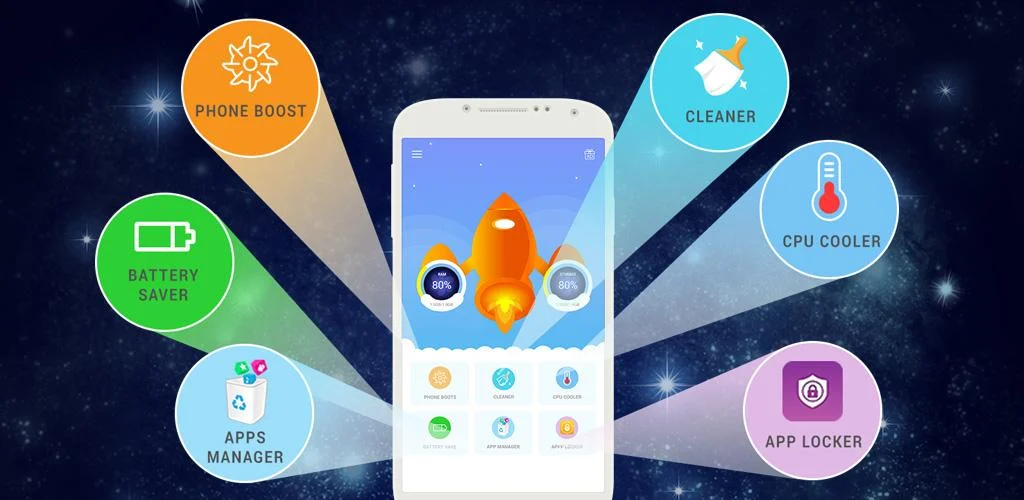
In addition to basic cleaning, many of these apps offer features that can be useful. Some identify rarely used apps and suggest removing them, freeing up significantly more space than any cache cleanup. Others allow you to schedule automatic cleanups, ensuring that your device doesn't reach its storage limit without warning.
There are also battery usage panels, which show which apps consume the most power in the background. It's worth remembering that these screens are... informativeThey help you decide what to uninstall or restrict, but the cleaning app itself doesn't extend battery life. The available functions also vary depending on the device manufacturer and the Android version, as each system grants a different level of access.
Conclusion
In short, cleaning apps primarily help to reclaim space and keep your phone organized. Among the still-active options, CCleaner, SD Maid, and Avast Cleanup adequately cover different user profiles—from the most automated to the most technical. Clean Master and Norton Clean, on the other hand, have been discontinued and are no longer available in the official app store.
Use these tools with the right expectation: you gain free space, and that already improves the lives of those who constantly receive "memory full" warnings. The speed increase, when it appears, is usually discreet and temporary. If the device remains slow even with ample storage, the problem is probably something else — an outdated system, applications that are too demanding for the hardware, or simply the age of the phone.
Criteria that make a difference in the choice
- It works offline. Many of these utilities don't require internet access. If an app requires a connection for a local task, you should be suspicious.
- Size and memory usage. Utility applications should be lightweight. Those that exceed a few hundred megabytes often contain advertisements and trackers.
- Permissions that the application requests. It's the quickest test of reliability. A flashlight app that asks for contacts and location doesn't need that to work.
- Does the system already do that?. Android and iOS both come with built-in flashlight, recorder, document scanner, meter, and QR code reader. It's worth checking before installing yet another app.
What these apps don't do
It's important to know what's beyond the reach of this category—that's what avoids frustration and, most importantly, prevents falling for those who promise the impossible.
- Apps that promise impossible functions are often advertising platforms, and some request permissions they shouldn't.
- Cleaning apps don't permanently speed up your device: Android already manages memory on its own.
- Features that rely on missing hardware won't work via software. Without the sensor, no application can solve the problem.
- They are not a substitute for professional equipment. Cell phone sensors are for estimation, not for technically precise measurements.
Common questions
Are these apps safe?
Check the permissions and the number of reviews. Any utility that requests access to contacts, messages, or accessibility without a clear reason should be avoided.
Does it consume a lot of battery?
It depends on what's running in the background. Check the usage per app in the settings and restrict anything that's excessive.
Do I have to pay to use it?
In most utilities, no. The free version with ads works fine, and the paid version is for removing ads.
Doesn't the cell phone already do that automatically?
It often does. Flashlight, recorder, document scanning, ruler, and QR code reader are native features in recent versions.
Does it work without internet?
Those that process locally, yes. Those that rely on a server require a connection and send their data externally.