Turning a selfie into a baby version has become a popular trend on social media. Before the list, the most important warning: these apps create a... artistic simulation. They don't reveal what you really looked like as a baby, they don't retrieve any photos from your childhood, and they don't predict what a future child will look like—genetics isn't read by a photo filter. What exists there is a smoothing and facial proportioning effect applied by artificial intelligence, made for entertainment.
Anyone who truly wants to see their own baby version has a simple and sure way: find old family photos, scan them with your phone's camera app, and if the image is faded, use an editor to restore color and sharpness. The result is real, not a machine invention.
Once the alignment is complete, see below five apps that achieve this type of effect and are available in official app stores. The data in the listings was checked on Google Play in August 2026 and may change over time.
How do these filters really work?
The apps use artificial intelligence models trained on millions of faces. When you send a selfie, the program identifies points on the face—eyes, nose, mouth, contour—and redraws the image following statistical patterns of a child's face: larger cheeks, softer features, proportionally larger eyes.
In other words, the portrait is plausible, not true. Two people with similar features often have similar babies, even if they are not related. Take the result for what it is: a fun drawing to share with friends.
5 apps that create your baby version
1. FaceApp
O FaceApp It is the best-known of the AI-powered facial editors. In addition to aging and rejuvenation filters, it has a mode that makes the face look like a child's, applied in just a few taps to a photo from the gallery or taken on the spot.
The interface is straightforward and results appear in seconds. Some filters require a Pro subscription, but the free package already covers the most commonly used effects. As processing takes place on the company's servers, read the privacy policy before uploading photos.

You will see a short advertisement.
On the iPhone, the official specifications are in... App Store.
2. BabyMaker
O BabyMaker It combines two photos and generates a baby face from them — a classic couple's game. It also accepts a single photo to produce a child version of your face.
It's a small app, with few downloads and a mediocre rating in the store, so adjust your expectations regarding the image quality. And it's worth repeating: the generated face is fictional, not a prediction of what a real child would look like.

You will see a short advertisement.
3. Voilà AI Artist
O Here comes AI Artist He became famous for his cartoon and caricature-style portraits. Among the available styles are versions that give the face a childlike appearance, with rounded features and an animated cartoon finish.
The processing is fast and the app saves the image in good resolution. Some styles and watermark removal are part of the paid plan; the rest works at no cost.

You will see a short advertisement.
The iPhone version is on App Store.
4. Reface
O Reface He is known for swapping faces in videos and short GIFs. Among the face effects are filters that rejuvenate the face, useful for those who want an animated result instead of a still photo.
Two important points: the app is rated 18+ on Google Play and works by uploading images to the cloud. Only use photos of yourself or someone who has expressly authorized it — publishing someone else's face in a montage without consent is a serious problem, not a joke.

You will see a short advertisement.
For iOS, the official information sheet is located at App Store.
5. YouCam Perfect
O YouCam Perfect It's a complete editor, with face filters, stickers, augmented reality effects, and retouching tools. It replaced the old YouCam Fun, which is no longer available in app stores, and concentrates all the fun effects in one app.
It's the most versatile option on the list for those who don't want to install an app just for a little fun: besides the child-friendly effect, you can cut it out, adjust the lighting, and create collages.

You will see a short advertisement.
Privacy: the concern that almost no one takes.
Every facial filter works with a sensitive piece of data: your face. Before you start sending photos, it's worth adopting four simple habits:
- Read the privacy policy. and see how long the image is stored on the servers;
- Do not send photos of children. from third parties or from people who have not authorized it;
- Check the signaturesMany of these apps offer a short free trial that turns into automatic billing;
- Install only from Google Play or the App Store.; "Modified" APK versions often come with malware.
Common questions
O resultado mostra como eu era de verdade?
No. It's an artistic recreation based on your current features. No app has access to what you looked like as a child—only a family album has that answer.
O app consegue prever a cara do meu futuro filho?
No, that's not true either. A child's appearance depends on genetic combinations that no photo filter can calculate. The face generated from two photos is a visual mix, made for entertainment purposes.
Esses apps são gratuitos?
All offer free use with ads or a watermark, and sell subscriptions to unlock extra styles and high-resolution export. Check the price and trial period before confirming any purchase.
Conclusion
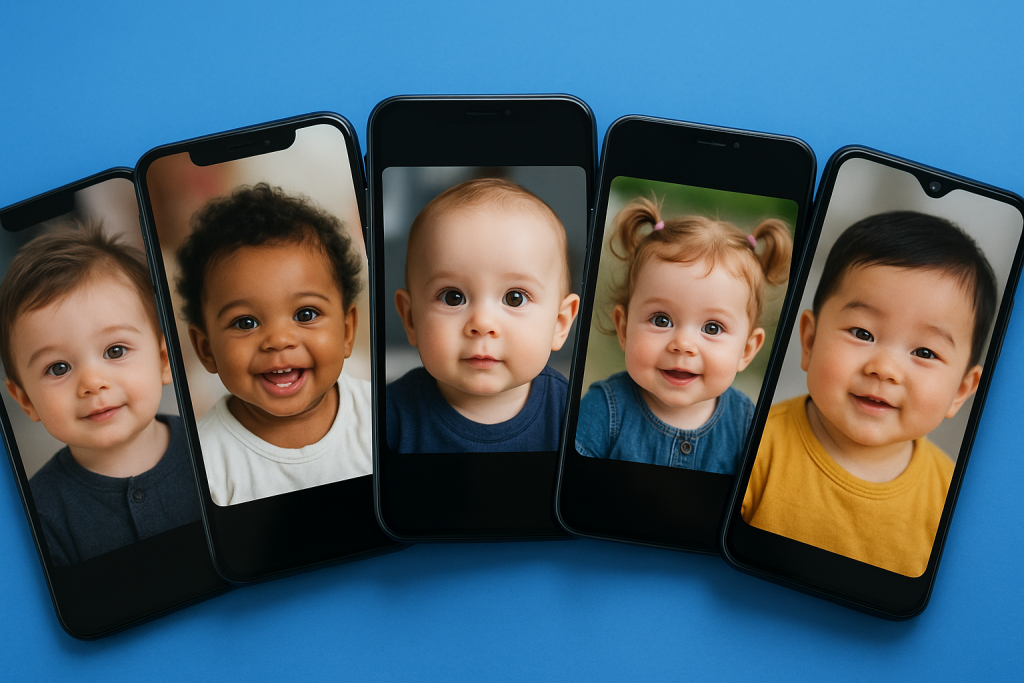
The apps that create your baby version That's exactly what they are: a well-executed visual joke, great for generating group laughs. Viewed that way, they deliver what they promise — funny images in just a few seconds, straight from your cell phone.
Choose one of the five, install it from the official store, test it with a well-lit photo of yourself, and share the result knowing that it's just fun fiction. And, if you're curious to know what you really looked like, the best app is still the box of old photos at home.
Step-by-step to get started
- Export at the highest quality available. If you're going to print, look for the high-resolution export option — some free versions reduce the resolution without warning.
- Save only once. Each export process recompresses the file. Make all the necessary adjustments and export at the end.
- Work on a copy. Duplicate the image before editing. Good apps do this automatically, but double-checking prevents losing the original.
- Adjust the light before applying the filter. Exposure, contrast, and shadows first; filter later. In reverse order, the filter amplifies the flaw.
Traps that catch almost everyone
- Discovering the watermark only when exporting, after half an hour of editing.
- Send a photo of a document or a child to an editor who processes it in the cloud.
- Increasing the resolution in the hope of revealing detail — the program estimates pixels, it doesn't retrieve information.
- Granting access to all photos when the app only needs one.
Before installing: what's already on the device
The phone's built-in gallery editor already handles cropping, light adjustment, object removal, and perspective correction in recent versions of Android and iPhone. For quick adjustments, it solves the problem without installing anything or sending the image externally.