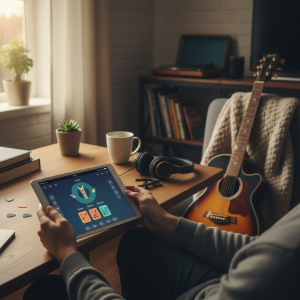
In short, if you've ever heard a song you liked and wondered what it was called, you'll be happy to know that there are apps to find out what the song is by sound. With them, the cell phone listens to the music and, in a few seconds, if you're lucky, it will have the name of the song and its author.
Therefore, to help you understand more about the applications to find out what the song is by sound, I prepared today's article on the subject. Interested in finding out more? So follow me now!
Applications to find out what the song is by sound
Shazam
In short, I start this list with the most popular music identifier app, Shazam. The app was purchased by Apple a few years ago, but fortunately its Android version remains.
Shazam has recognized music for so many years that it includes additional interesting functions. For example, Auto Shazam mode keeps listening to all songs until you stop it, and it also has a floating button to identify songs faster.
- Developer: Apple, Inc.
- Download from: Google Play
- Price: Free
- Category: Music and audio
SoundHound
SoundHound is another heavyweight when it comes to music recognition. It works similarly to Shazam.
On SoundHound, you can not only capture music but also play it later with the help of YouTube or Spotify. In some cases, you can also get the lyrics of the song you were listening to.
- Developer: SoundHound Inc.
- Download from: Google Play
- Price: Free
- Category: Music and audio
Assistente do Google
In fact, if you don't want to install any apps for this task, you can always take help from Google Assistant. If you tap the microphone button in the assistant and the app detects that there is music in the background, you will be able to ask: “What song is that?”
Once this is done, the Google Assistant will listen for a while until, if you're lucky, it recognizes the song. It will then show the result with information about the song and the singer, as well as related links to listen to the song on YouTube, Spotify and the like.
- Developer: Google LLC
- Download from: Google Play
- Price: Free
- Category: Productivity
Deezer
Deezer is a music streaming service that competes with Spotify, although it has something that, at the moment, is not present on Spotify: song recognition.
In fact, the operation is quite simple: you tap the recognition button and, after a few seconds, you will have the result. Interestingly, from the results, you cannot play the song, although you can add it to favorites or a playlist.
- Developer: Deezer Mobile
- Download from: Google Play
- Price: Free
- Category: Music and audio
MusicID
In fact, MusicID is a simpler application for identifying songs. This way, it works relatively well, and once you recognize a song, you'll have some additional information and the ability to buy it on Amazon.
In short, MusicID includes some social features, recommending songs similar to the ones you searched for.
- Developer: Gravity Mobile, Inc.
- Download from: Google Play
- Price: Free
- Category: Music and audio
Did you like to know more about the apps to find out what the song is by sound? So be sure to follow the others blog articles, I have lots of other news for you!
Before deciding, check these points.
- Data usage. Streaming in high quality consumes a lot of data. Adjusting the quality on your phone will prevent surprises when it reaches your data limit.
- Audio quality available. The bit rate varies by plan. On standard headphones the difference is subtle; on better equipment, it's noticeable.
- Catalog in Portuguese and local format. International streaming services sometimes have glitches in sertanejo, forró, and gospel music. If that's what you listen to, test it before subscribing.
- What the free version offers. Generally, it's ad-supported playback, shuffled order, and limited skips. Offline listening and track selection are usually paid services.
What these apps don't do
Every category has a limit, and knowing this one's limit saves time and money by avoiding those who promise more than what's available.
- An app that offers paid content for free is piracy and often comes with intrusive advertising or malware.
- Tracks are removed from the catalog when the license expires, including tracks from pre-made playlists.
- They don't allow downloading the music as a free file. The download is within the application and requires an active subscription.
- Lyrics and credits depend on what the record label sent and are sometimes incomplete.
Common questions
Does the quality change significantly between plans?
With regular headphones, the difference is minimal. With better equipment or a good speaker system, the difference becomes noticeable.
Can I transfer my playlists?
There are services that migrate playlists between platforms. The transfer usually works well, with occasional losses of unavailable tracks.
Can I listen without internet?
Only by downloading it within the app, which generally requires an active subscription.
Can I use it in the car?
Yes, via Bluetooth, or through Android Auto and CarPlay in compatible vehicles.
Is the family plan worth it?
It usually applies to groups of two or more people. Most require that members have the same registered address.
How to truly take advantage of it.
- Download playlists via Wi-Fi. Get it ready before you leave. The download is within the app and depends on an active subscription.
- Migrate your playlists when switching services. There are tools for transferring data between platforms; the loss is usually only due to unavailable tracks.
- Reduce the quality of mobile data. In the settings, separate Wi-Fi quality from data quality. This cuts consumption in half.
- Set up the equalizer once. Adjust according to the headphones you use — it's the cheapest way to improve sound quality.
Common mistakes that are costly
- Signing up for the family plan without checking the requirement for a shared address.
- Listen in high quality using mobile data and exceed your data allowance.
- Losing created playlists when switching accounts instead of transferring them.
- Installing an app that offers a paid catalog for free is piracy and usually comes with intrusive advertising.
The alternative that is already included in the system
YouTube functions as a huge free catalog for discovering music, and streaming radio continues to exist within various free apps. For offline listening without a subscription, your own files still play in the system's native player.
The fingerprint of sound: how recognition works
Identifying a song in seconds seems like magic, and the mechanism is elegant. There's no comparison of melody or lyrics. What is compared is a mathematical signature of the sound.
The process has four stages:
- The app records a few seconds through the microphone.
- Converts audio into a spectrogram., a graph that shows which frequencies appear at each instant.
- Locate the peaks. — the points of highest energy in this graph. These are the points that resist noise, compression, and a bad speaker.
- Transforms pairs of peaks into numerical codes. and compares it to a database of millions of pre-calculated signatures.
That's why recognition works in noisy bars and fails when you're humming: the signature corresponds to a specific recording, not the composition. It's also why the result is almost instantaneous—the system doesn't listen to the entire song; it looks for a pattern match in a gigantic index.
Why is it sometimes not identified?
When the app finds nothing, it's almost always one of these six cases:
- A different version from the one cataloged. A live performance, a remix, a re-recording, or an acoustic version generates completely distinct signatures from the studio track. The music is the same; the sound is not.
- Cover artist or local artist. If the recording isn't in the database, there's nothing to compare it to. Independent artists, wedding bands, and regional music are frequently left out.
- Too loud a noise. Conversations near the microphone, wind, and cutlery compete in frequency with the music.
- An instrumental excerpt without any particularly noteworthy elements. Long introductions and environmental passages have few distinctive peaks.
- Very new music. New releases can take hours or days to appear in the index.
- Change of speed. Accelerated tracks for social media change frequencies and fool the algorithm.
To improve your chances: move your phone closer to the sound source, try to capture the chorus instead of the introduction, avoid covering the lower microphone with your hand, and try two or three times on different sections.
Humming instead of playing: another technology
The search for a hummed melody doesn't use audio fingerprinting. It extracts the melodic contour—the sequence of rising and falling pitches, with the relative duration between notes—and compares it to contours derived from recordings and sheet music.
Since the method ignores timbre, absolute tempo, and tonality, you don't need to sing in tune or in the original key. You just need to get the melody's structure right.
What increases the success rate:
- Hum for 10 to 15 seconds., without stopping in the middle.
- Use the refrain, which is the most distinct and most cataloged part.
- Prefer a continuous sound., The word "nãnãnã" or a whistle sound is used instead of letters. Consonants interfere with reading the pitch.
- Maintain a steady pace. The relative duration of the notes is part of the comparison.
- Quiet environment. Here, the noise is even more disruptive than in recorded recognition.
Whistling usually yields better results than singing because it produces a cleaner note. Melodies with few repeated notes and without large leaps are the most difficult, because many songs share this characteristic.
When the app doesn't solve the problem: the manual method.
There's a remaining set of cases — music playing in an old video, a commercial soundtrack, a track you only partially remember. That's where human observation comes in:
- Search for a passage from the lyrics that is in quotation marks. Quotation marks force a search for the exact sequence of words, which completely changes the result. If you're unsure about a word, leave it out.
- Some context to the search. Approximate year, genre, whether it was an advertisement, soap opera, movie, or game. “Song title from a 2003 soda commercial” usually works better than poorly remembered lyrics.
- Check the video description and comments. In popular videos, someone has already asked the question and someone has already answered it.
- Use music identification forums. There are communities dedicated to this, where people post recordings and others identify them. The success rate is surprisingly high.
- If the music comes from a video, Some platforms automatically identify the track and display the credit in the description or in an audio tab.
After identifying it: the history is the useful part.
Most people recognize a song, listen to it once, and forget it. The most underutilized feature in this category is precisely the history.
What can you do with it?
- Review the list from time to time. It's a record of everything that caught her attention in public places over the course of months, and it often yields better discoveries than any automated recommendation.
- Export to a playlist. Most recognition apps integrate with streaming services and create the playlist with one tap.
- Create an account. Without registration, the history remains on the device and is lost when changing phones.
- Use automatic background identification sparingly. Some apps listen continuously and record everything. This is useful at festivals or on road trips, but it consumes battery and keeps the microphone active — it's best to turn it on when needed and turn it off afterward.
Regarding privacy, two specific points. First, microphone permission is required for this function, but the app shouldn't need contacts, precise location, or access to files; review your system settings. Second, both Android and iPhone show an indicator on the screen whenever the microphone is active—if it appears without you having requested identification, automatic mode is enabled.